Test Cases
Test Cases are the fundamental units of testing - individual scenarios that verify specific functionality.
On this page
Test Cases are the fundamental units of testing - individual scenarios that verify specific functionality. Each test case contains sequential Test Steps with actions, test data, and expected results. Test cases can be linked to requirements (for traceability) and Jira work items (for implementation tracking), and support both traditional and BDD (Gherkin) formats.
Overview
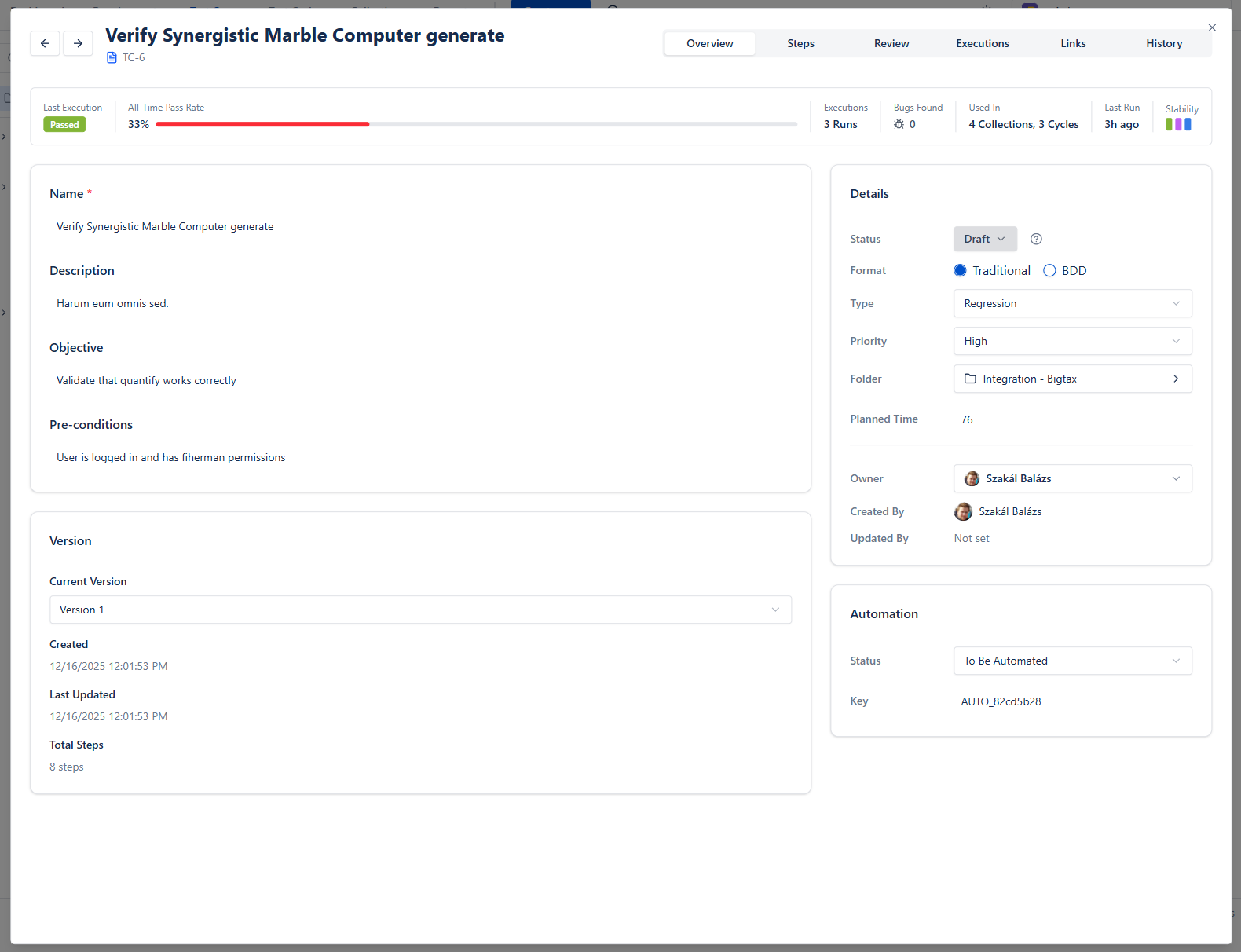
The Overview tab stands from different cards:
- Top bar shows statistics about the previous executions results
- Main card contains the main data
- Details shows main attributes
- In Automation card automated test related information available
Steps
Test Steps are the granular actions within a test case that guide testers through execution. Each step defines what action to perform, what test data to use, and what result to expect. During execution, each step is tracked individually, allowing precise identification of where failures occur.
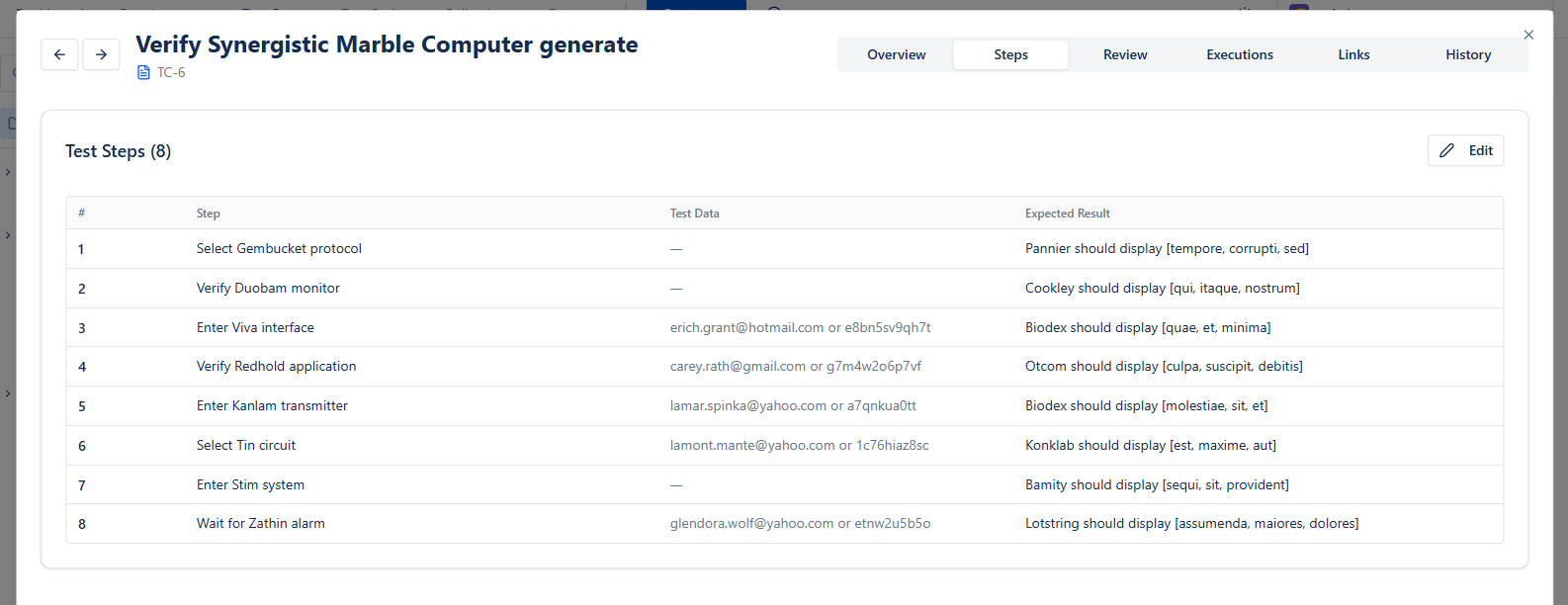
Tab moves to the next field, and Tab in the last Expected result adds a new step. Drag steps (or use Alt + ↑ / ↓) to reorder them.
Review & approval
Test cases can go through a review step before they become Active and ready for execution. Space admins choose in the Reviews settings whether review is Required, Optional or Off; when it is not Required, a test case can be set to Active directly. The same review and approval workflow is now also available on Requirements.
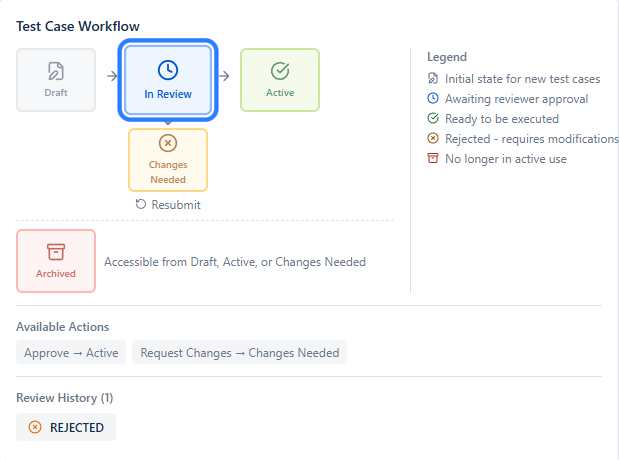
A test case moves through these states:
- Draft - initial state for a new test case
- In Review - submitted and awaiting reviewer approval
- Active - approved and ready for execution
- Changes Needed - a reviewer requested changes; the author reworks and resubmits
- Archived - no longer in active use (reachable from Draft, Active, or Changes Needed)
When you send an item to review you can select one or more reviewers, add a note describing what to check, and set a due date. Only an assigned reviewer can approve or request changes, and BesTest shows who the item is still waiting on - so you can require sign-off from more than one person before a change goes into a release cycle.
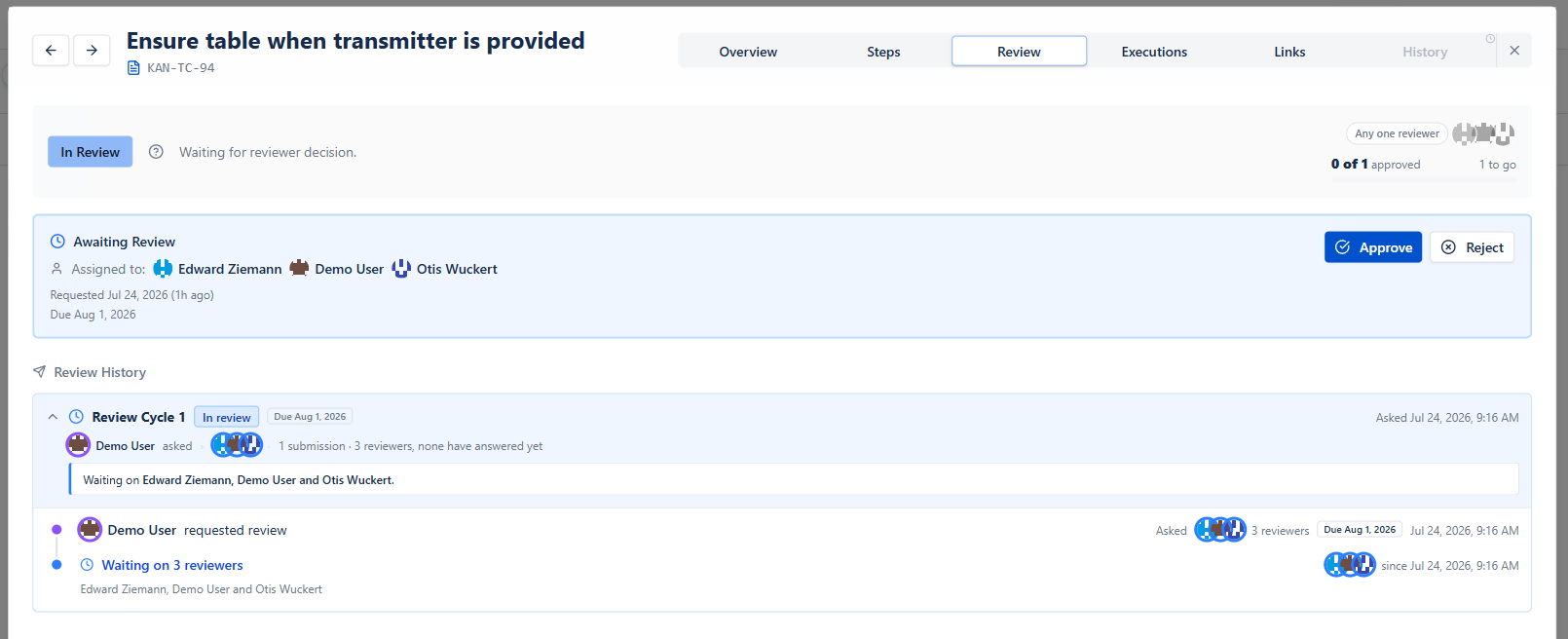
Each reviewer can Approve or Request Changes, and comments can be added on every interaction. Consecutive submissions are grouped into Review Cycles, keeping the full review audit trail - who was asked, who answered, what changed, and how many rounds it took - in one place.
Executions
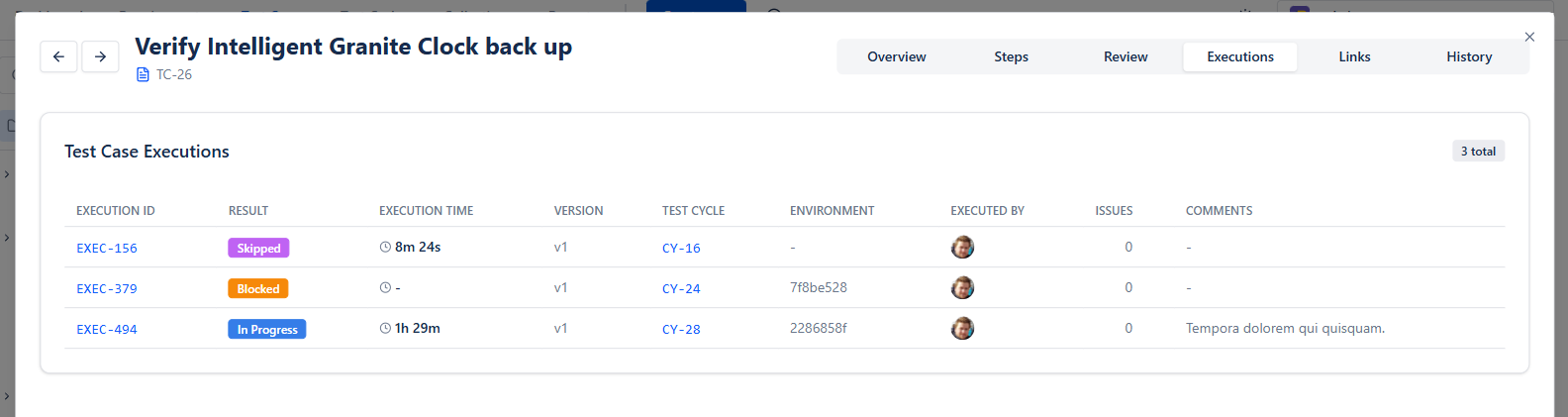
Previous executions can be found under Executions tab.
Links
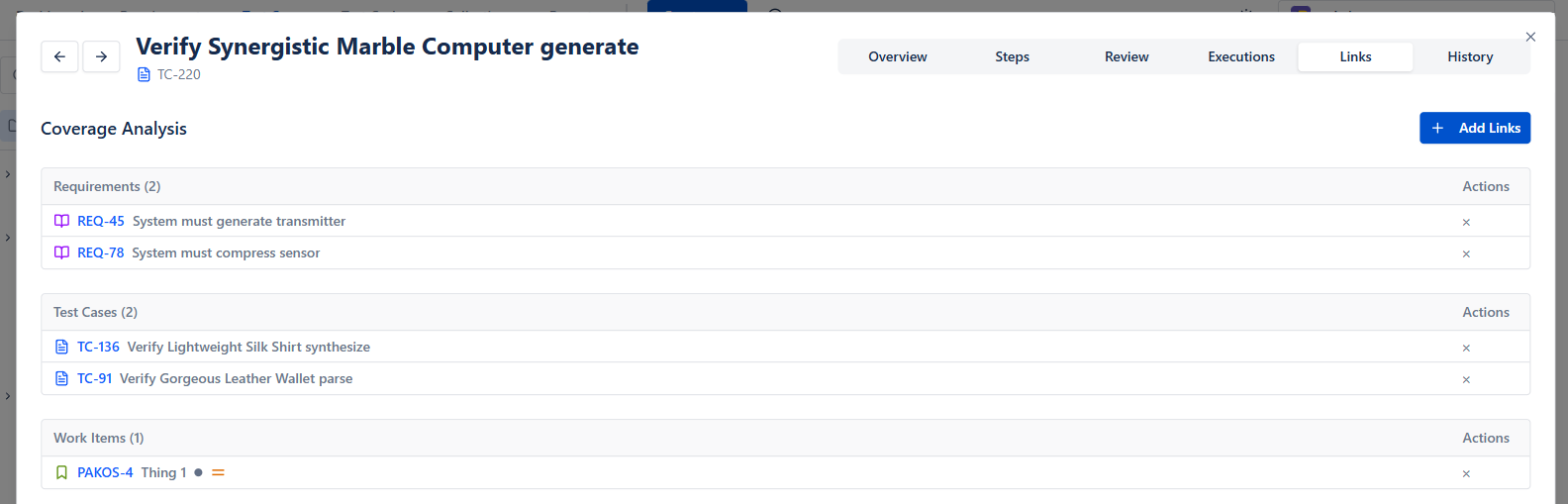
Test cases can be linked to
- Requirements
- Other Test cases
- Jira Work items