
BDD (Gherkin)

When a test case format set to BDD, under steps, gherkin syntax is available.

When a test case format set to BDD, under steps, gherkin syntax is available. The editor grows with your text, shows line numbers, indents with Tab, and keeps a syntax guide at your side.
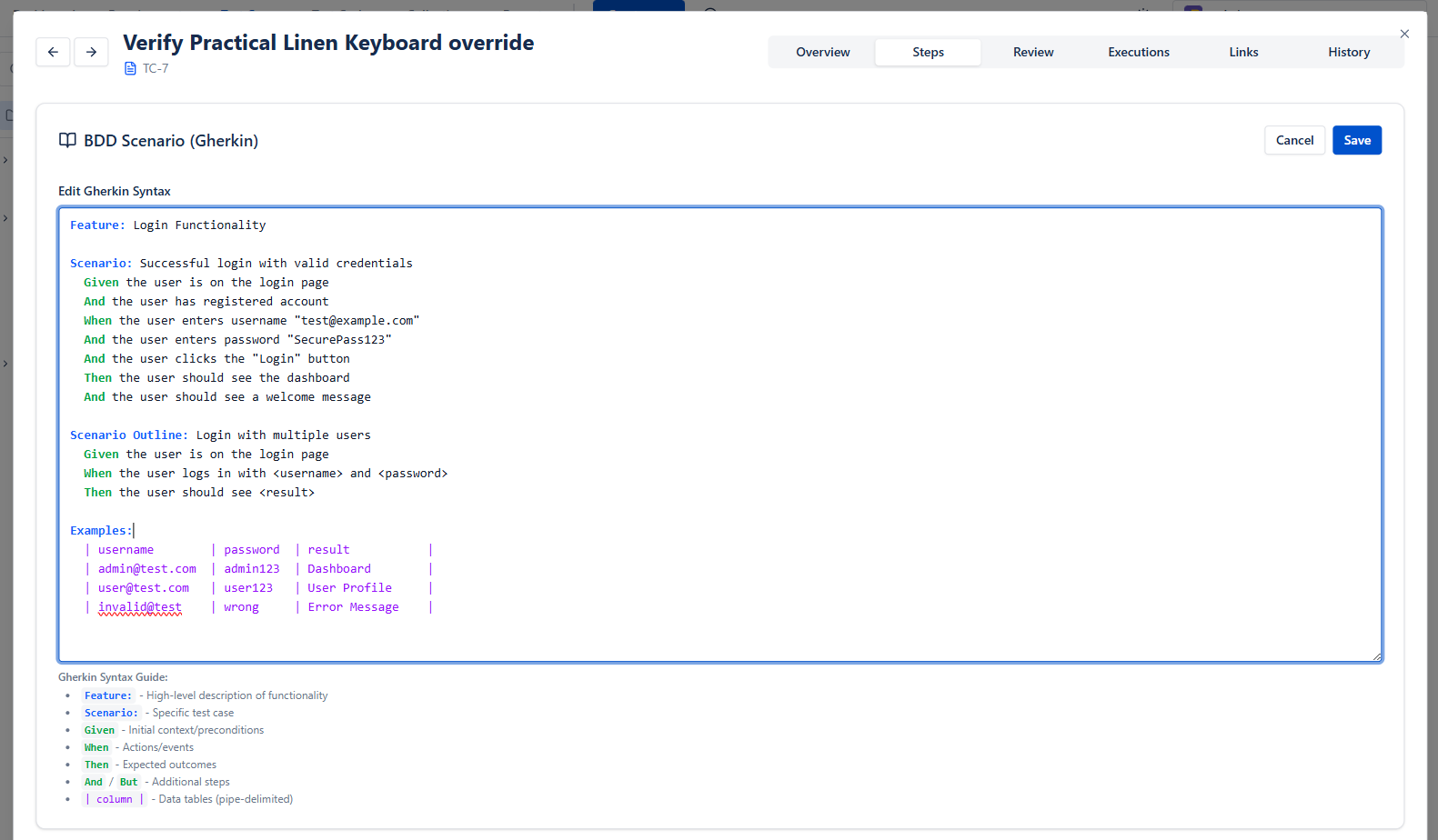
Gherkin editor with line numbers and the syntax guide

In the Test Player, BDD test cases show their Feature and Background above the steps.

Getting started

Live in about a minute.

  1. ~30 seconds
    1.Install from the Marketplace

    One click on "Get it now" - no sales call, no signup form, no separate login.

  2. ~1 minute
    2.Enable it on a Space

    Flip it on in Space settings. BesTest shows up in the Space menu, where your team already works.

  3. right away
    3.Run your first test

    Create a requirement, link a test case, hit run. No training course required.

Host your data in the EU, US, or IndiaNo Jira issue bloat - your library stays out of Jira’s wayBuilt on Atlassian Forge