Custom Fields
Customize testing objects with 8 different type of fields
Add custom fields in the Space settings / fields menu for all testing objects:
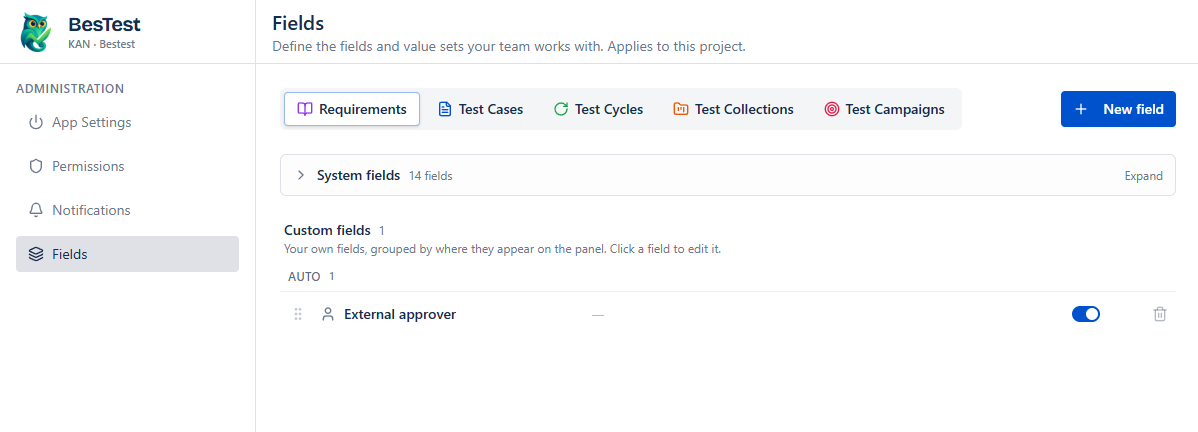
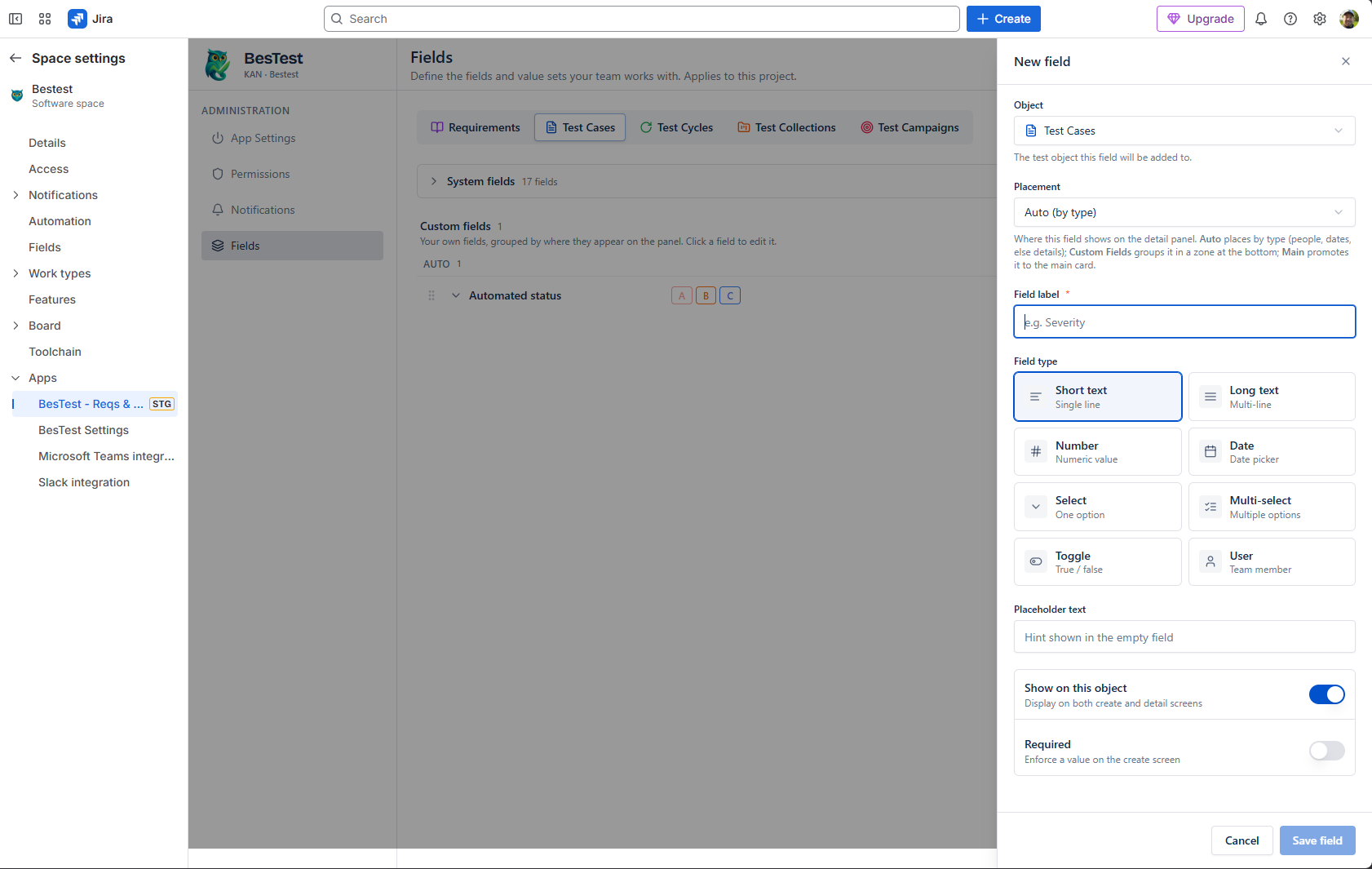
During creation, select field type, add details, and choose the placement(where to show):
- Auto - BesTest arrange them by type (dates, people etc. automatically grouped)
- Main - on the left side, with bigger size
- Custom Fields - after the built-in section, bottom right
- Automation (TC only) - grouped with the Test Automation section
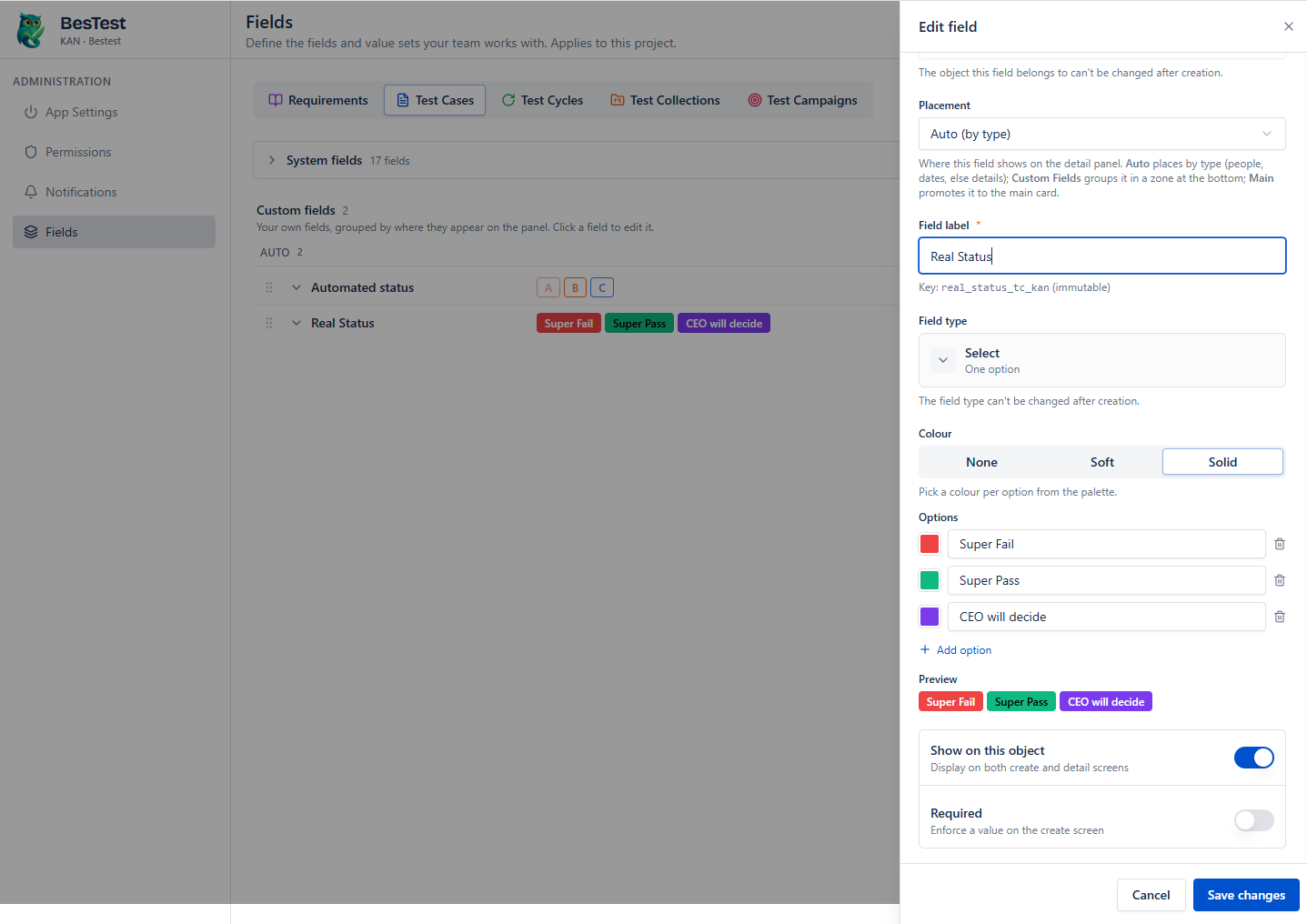
Select and multi-select fields can have up to 50 options, and each value can get a color for better visibility on the UI.
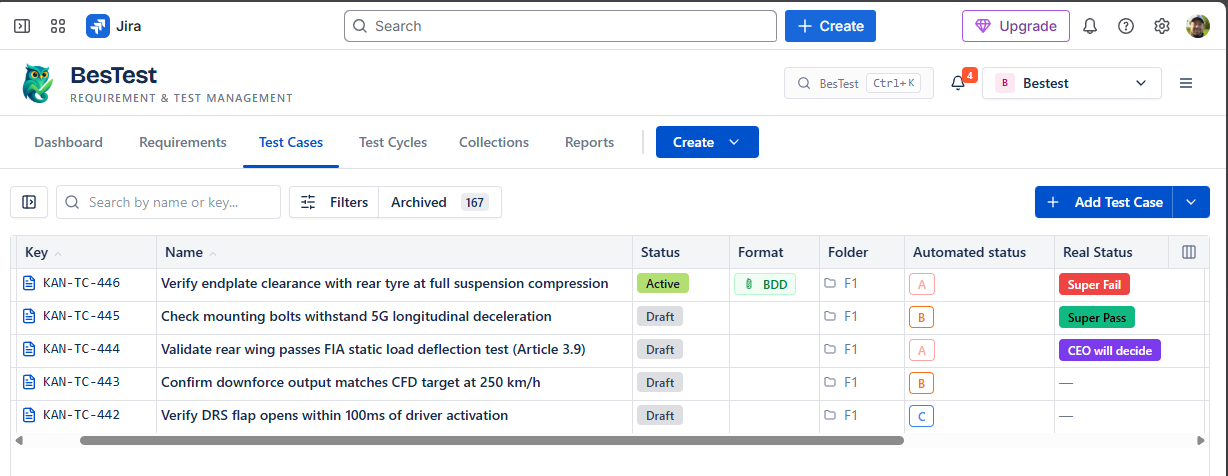
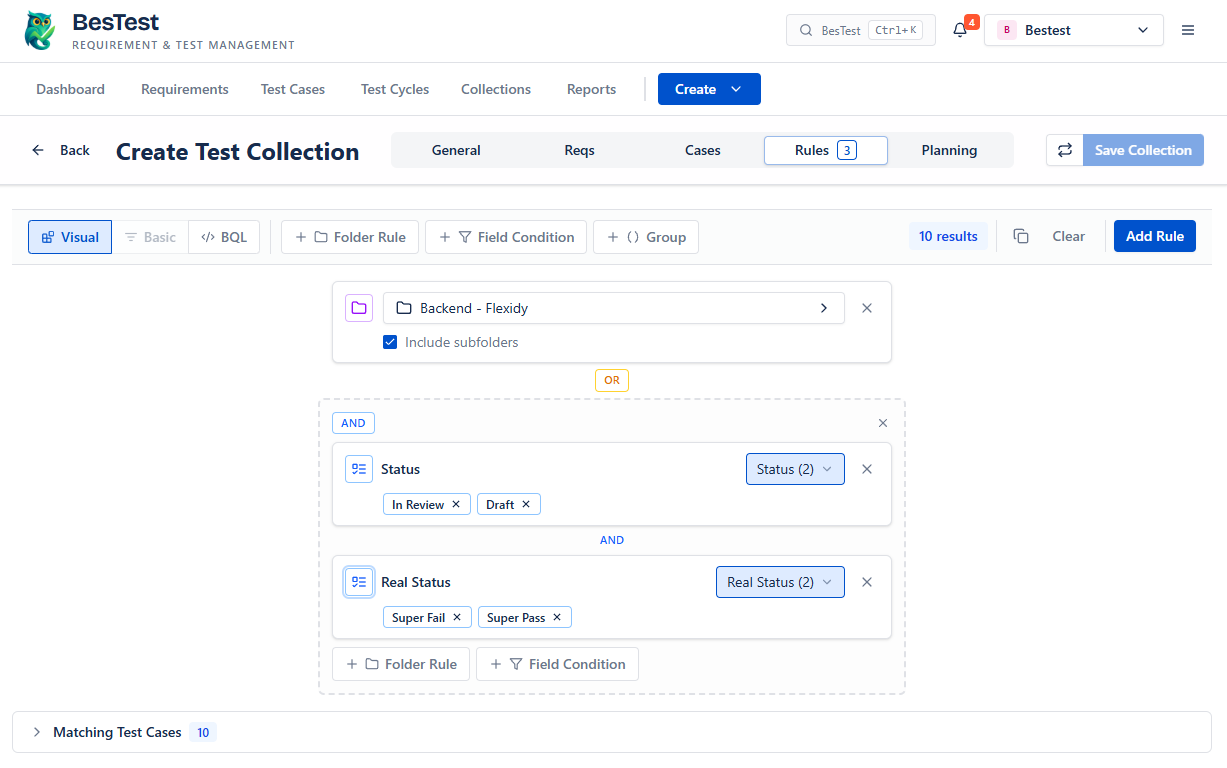
Custom fields appear in the catalog views, can be used in the collection, and can be filtered and sorted by.
One of the best usage for custom fields (for test cases), is to build more granular, in-depth collections with them, so that planning a cycle could be straightforward.
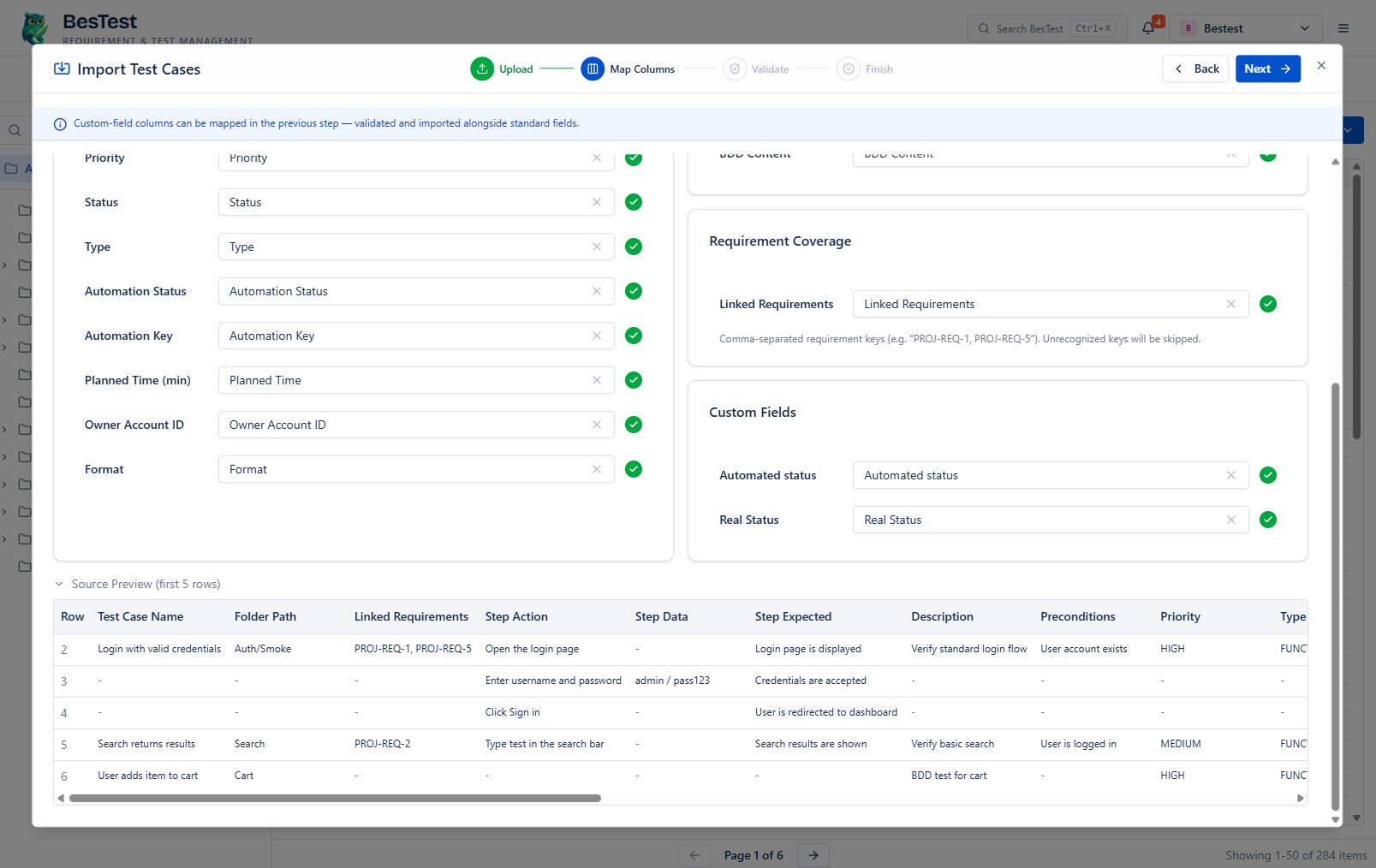
Custom fields are completely supported during import, you only need to create them before import, so that you can map your data with them.