
Requirements
Requirements represent business or functional needs that must be validated through testing.
Requirements represent business or functional needs that must be validated through testing. They can be organized in folders and linked to test cases to establish traceability, enabling coverage reporting and gap analysis.
Overview
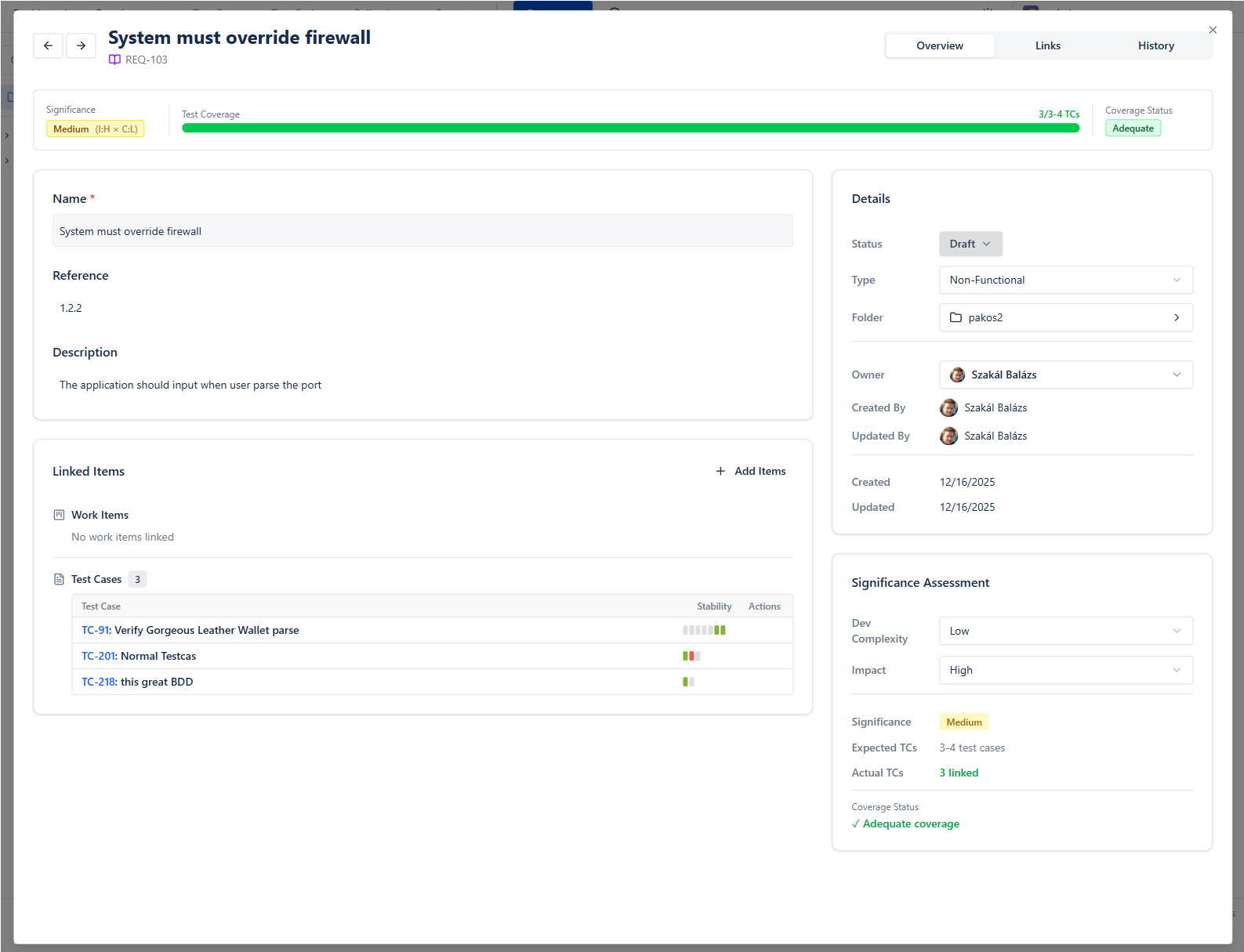
The Overview tab stands from different cards:
- Top bar shows the requirement's readiness at a glance: Significance, Coverage, Test Results, linked Work Items and Approval
- Main card contains the main data
- Traceability shows the connected Work Items and Test Cases
- Details shows main attributes
- Coverage card: Impact x Complexity = Significance, and how many test cases are linked out of the needed amount
Coverage
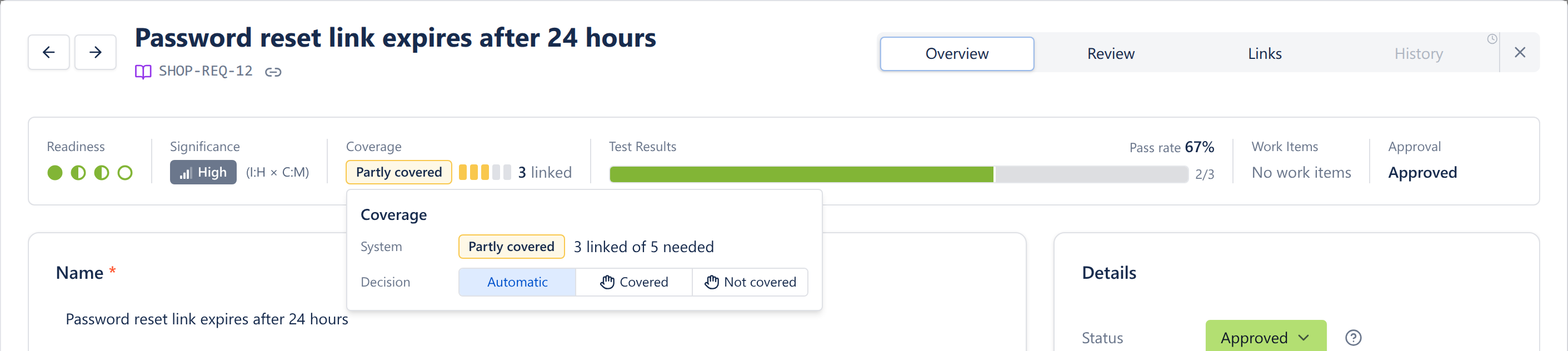
Coverage is Covered, Partly covered or Not covered. BesTest decides it from the number of linked test cases against what the requirement's significance needs (Low 1, Medium 3, High 5, Critical 8). The same value is used in the catalog, filters, reports and dashboard gadgets.
You can override the decision: click the coverage chip and set Decision to Covered or Not covered (or back to Automatic). A hand icon shows that a person decided.
Review & approval
Requirements use the same review and approval workflow as Test Cases. A requirement can be sent to one or more reviewers and approved before test cases are written against it, so business and functional needs are signed off first.
A requirement moves through Draft -> In Review -> Approved (with Changes Requested when a reviewer asks for edits). When requesting review you can add a note and a due date; only assigned reviewers can approve or request changes; and every round is grouped into Review Cycles. See Review & approval on the Test Cases page for the full walkthrough.
Links
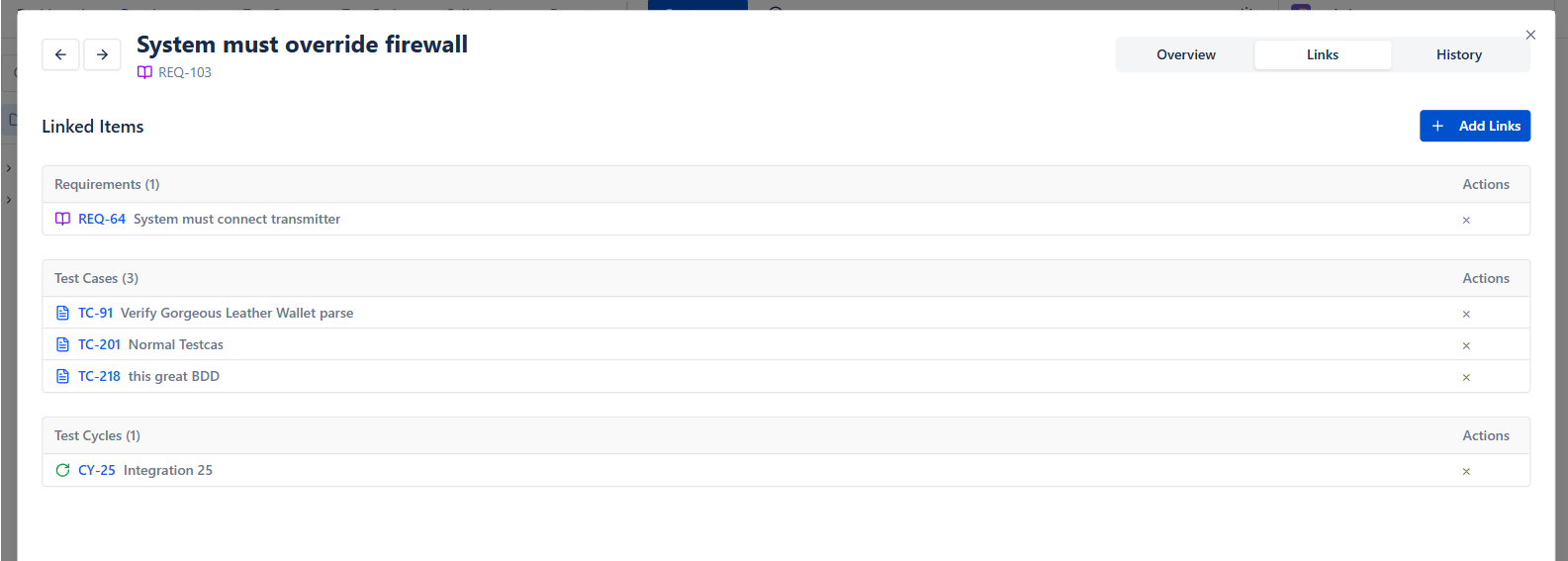
Items can be linked with
- Work Items
- Other Requirements
- Test cases
- Test Cycles
Coverage in catalog
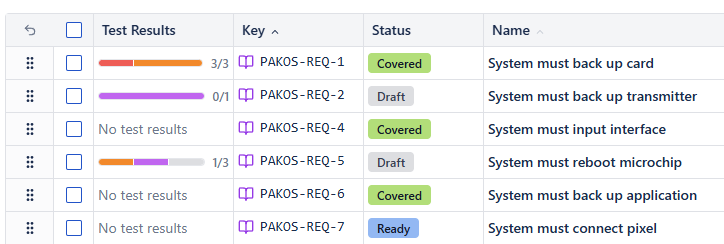
The Coverage column shows which Requirements need more test cases, and the Test Results column shows their latest executions - see which perform badly recently. Use the Coverage filter to list the gaps.