
[BETA] MCP
The BesTest MCP server is now in beta.
On this page
The BesTest MCP server is now in beta.
With the BesTest MCP, testers, developers and test managers get MCP superpowers over their testing data. Connect any MCP client (Claude, Cursor, and others) and you can:
- Import, create and update test cases and requirements with natural language, at scale
- Get the insights you need, when you need them
- Track execution progress
- Create custom reports that match your taste
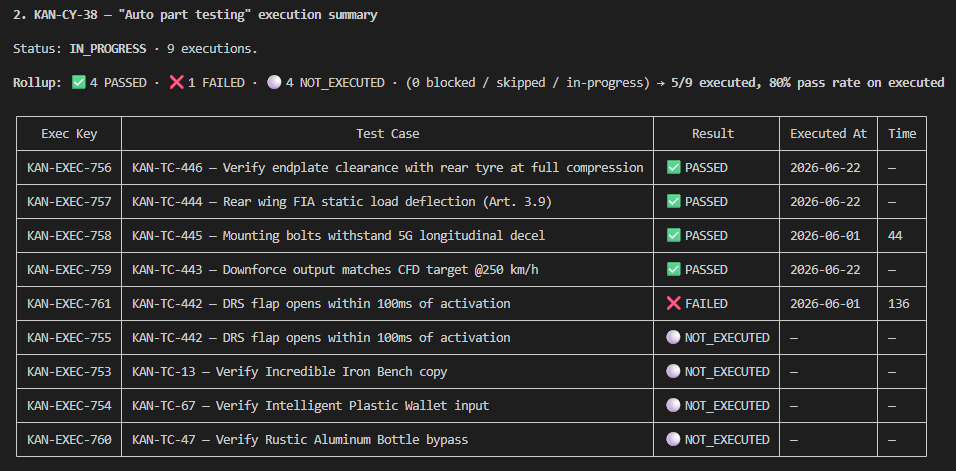
Example in Claude: summarize the executions from KAN-CY-38 in a table.
Getting access
We are looking for beta testers. You can request access right from your Jira project: open Project settings → API & MCP and choose Request access (pick the user who needs it and, optionally, your data region). You can also submit a request directly or email us at support@bt-studio.atlassian.net.
Access is granted per user during the beta. Once you are set up, our team sends you the connection details (endpoint and access token) to plug into your MCP client.