
Test Cycles
Test Cycles represent specific execution rounds or testing phases, such as "v2.0 Release Testing" or "Sprint 5 Regression." Cycles contain Test Case...
Test Cycles represent specific execution rounds or testing phases, such as "v2.0 Release Testing" or "Sprint 5 Regression." Cycles contain Test Case Executions and can be populated from manual selection, collections, or entire folders. They track overall progress and aggregate pass/fail metrics across all executions.
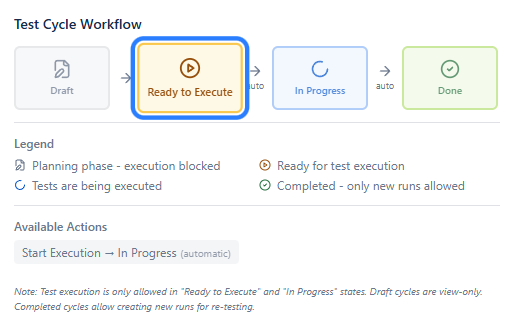
Test Cycle workflow is straightforward, when the Test Set has been prepared, it can be marked for execution. When executions progress, status changes automatically.
Test Execution can only start, when the cycle set to Ready to Execute.
Done cycles
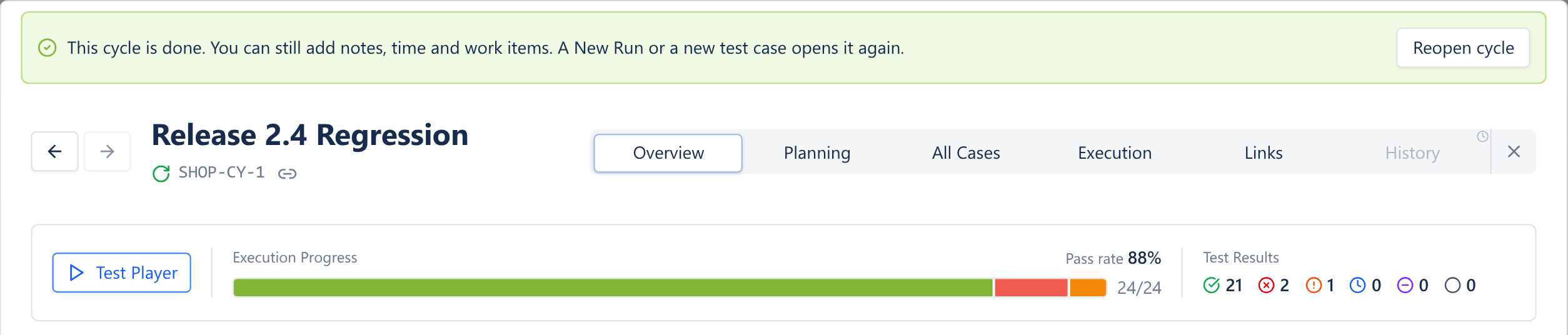
A cycle becomes Done when every test case has a result. You can still add notes, linked bugs and time spent. Adding test cases or starting a New Run reopens it, and it closes again when everything has a result. You can also Reopen or Close a cycle by hand from the banner on top.
Overview
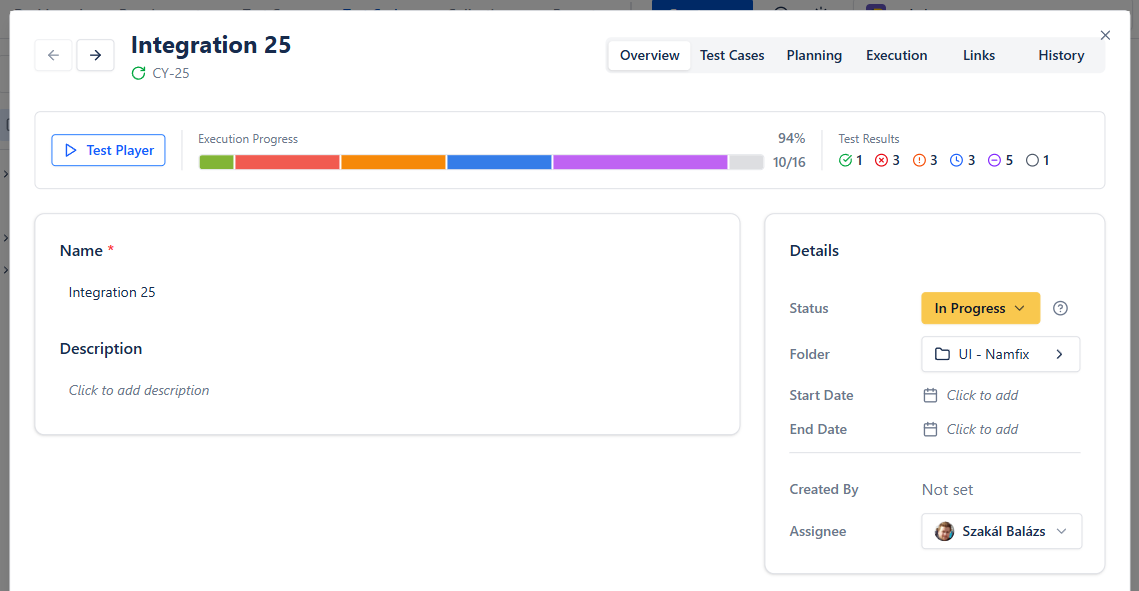
The Overview tab stands from different cards:
- The Top bar shows
- Test player, where test cases can be executed
- execution progress, pass rate and results per status
- Main card contains the main data
- Details shows main attributes
Planning
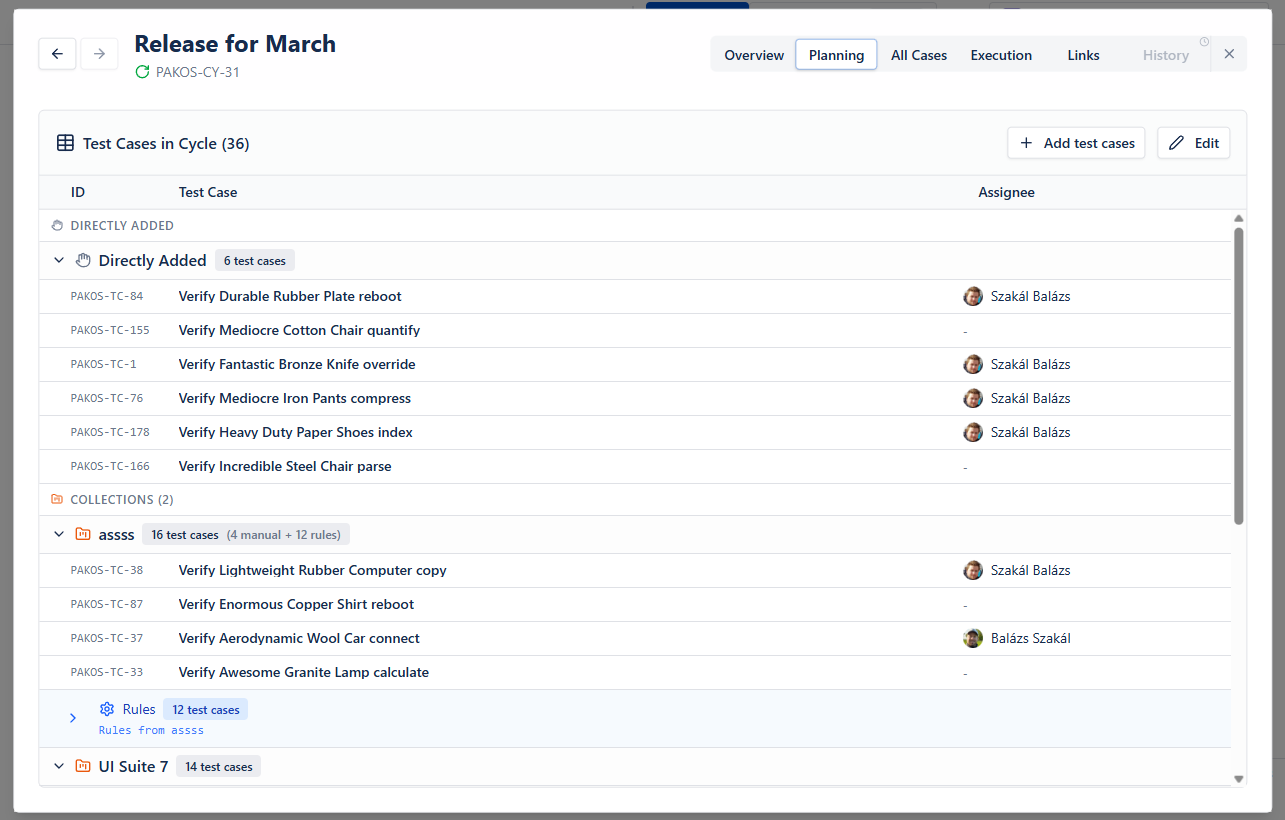
Here you can assign testers to executable test cases, or add new test cases, collections, requirements.
If you need inspiration on creating test cycles, check our suggestions here:
All Cases
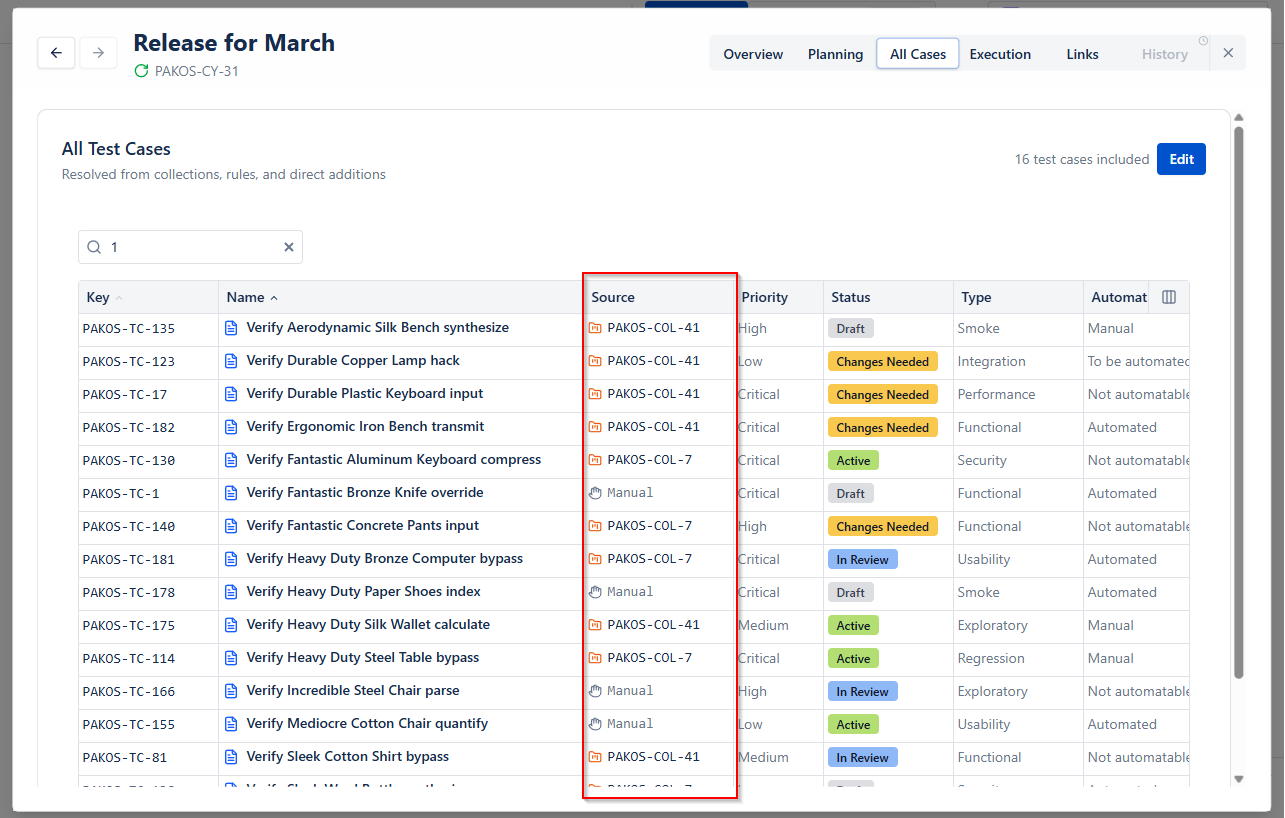
The Source column indicates where the testcase comes from. Search and finalize your executables here.
Executions
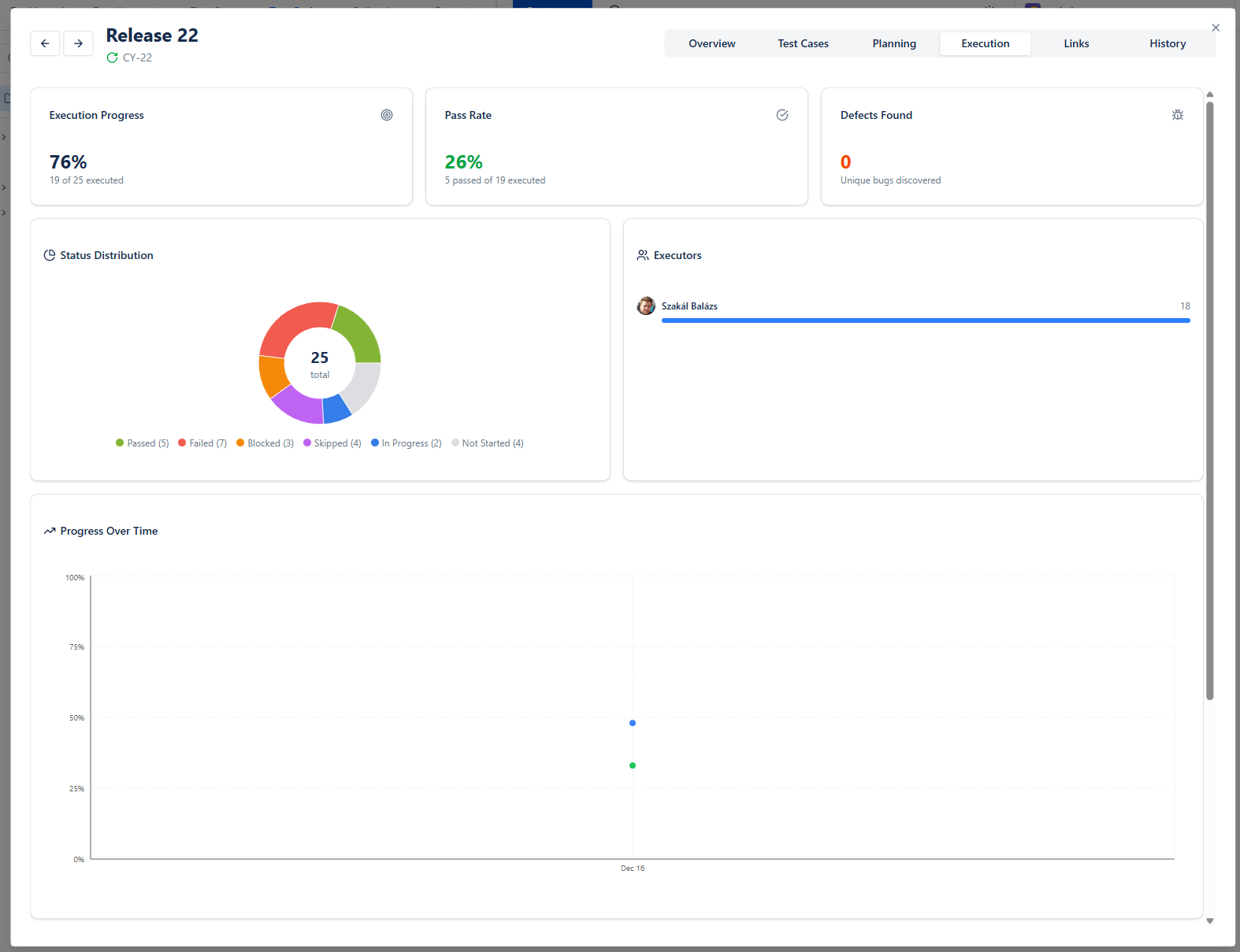
Sneak peak about the execution progress of a cycle. Not as deep as reporting, but cycles can be scanned quickly here.
Links
Test cycles can be linked to
- Requirements
- Other Test Cycles
- Jira Work items