
Work Item Panel
Bestest integrates bidirectionally with Jira work items throughout the testing lifecycle:
On this page
Bestest integrates bidirectionally with Jira work items throughout the testing lifecycle:
- test cases and requirements can link to implementation stories
- test cases and requirements can be created and linked from this screen, one by one or in bulk
- failed executions can create or link to defect tickets
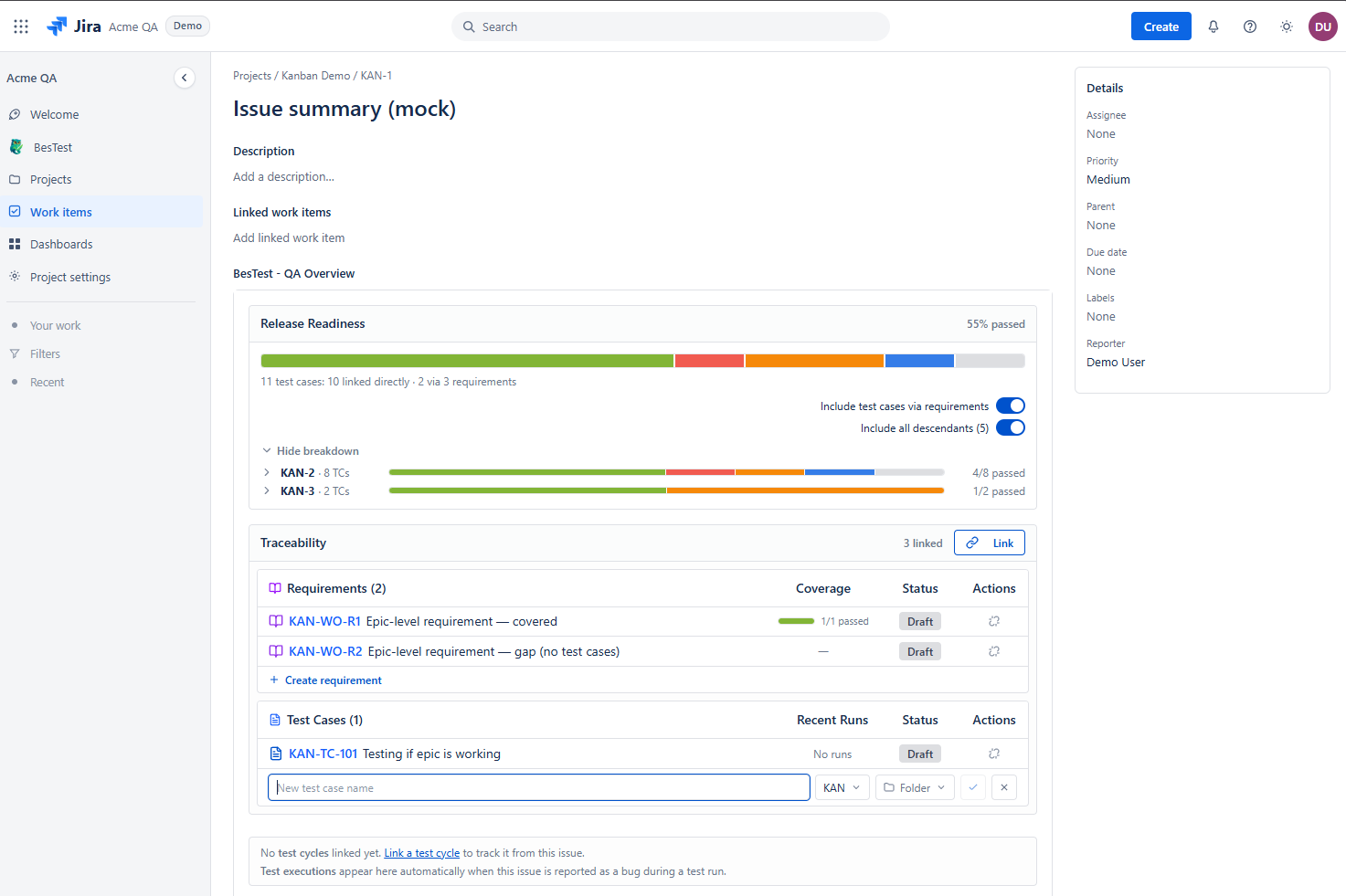
This ensures complete traceability from requirements through testing to issue resolution.
On the Work Item page users can add/view/remove connection to Bestest objects.
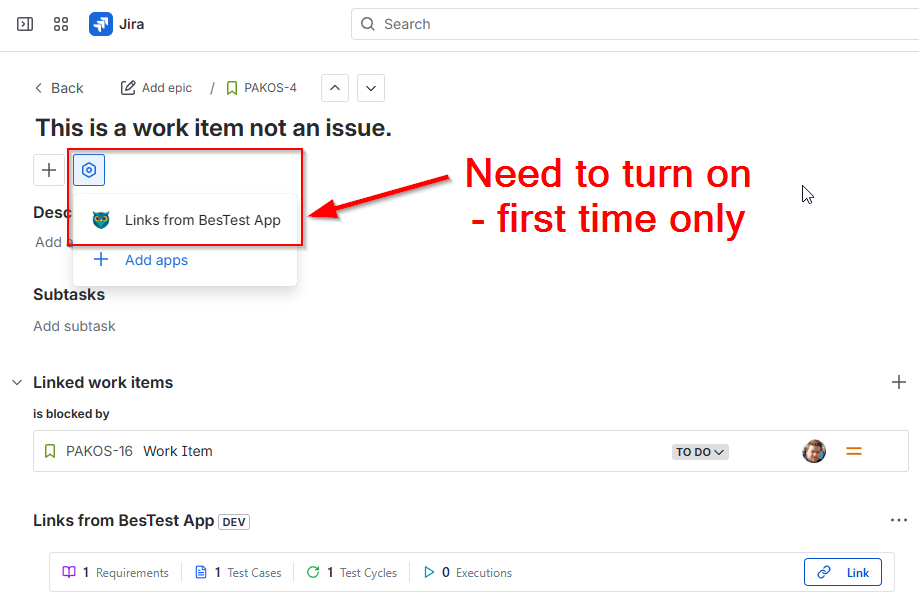
Release readiness
The panel also shows whether the work item itself is ready to ship. Alongside the linked requirements, test cases, and executions, BesTest summarizes coverage, execution pass rate, open defects, and a calculated risk level for everything linked to this work item - the same signals as the Work Item Traceability report, without leaving the Jira issue. A High risk is your cue to dig into what is still untested or unresolved before the work item ships.