
Regression Testing in Jira
Automate your regression test cycles with smart collections and traceability
Regression testing ensures new changes haven't broken existing functionality. BesTest gives you the tools to organize, execute, and track regression tests inside Jira - so your team catches defects before users do.
Try BesTest FreeThe Challenge
Regression suites grow fast and become unmanageable without the right tooling:
- •Identifying which tests to run after each change across shared modules
- •Maintaining an up-to-date suite that reflects current product state
- •Tracking historical results across releases to spot quality trends
- •Ensuring consistent execution regardless of who runs the tests
How BesTest Helps
BesTest transforms regression testing in Jira with living test suites that evolve alongside your product.
Smart Collections
Define rules like "Type = Regression in the Login folder" (visually or in BQL) and the collection is re-evaluated every time you add it to a cycle. Your suite stays current without manual curation.
Test Case Organization
Structure regression tests in nested folders by feature or module. Add a custom field such as "Component" or "Stability" to slice them further in filters and rules.
Execution Tracking
Run regression cycles with live progress and pass rate. In the Test Player, filters like "tends to fail" and "retested" surface the runs that need attention, and a failed step becomes a pre-filled Jira bug.
Requirements Traceability
See which requirements your regression tests protect. The Requirements Traceability Matrix flags requirements that are not tested well enough for their significance or still have open bugs.
Historical Analysis
Every execution is kept. Compare results across releases with execution trend and top failing tests gadgets, and spot the tests that keep failing.
One Suite, Many Environments
Add the same collection to one cycle per environment or configuration. Results stay separate per cycle without duplicating a single test case.
Late Findings Stay Linked
A Done cycle still accepts notes, linked defects and time spent, so a bug found after the run closed is linked to the execution that missed or caught it.
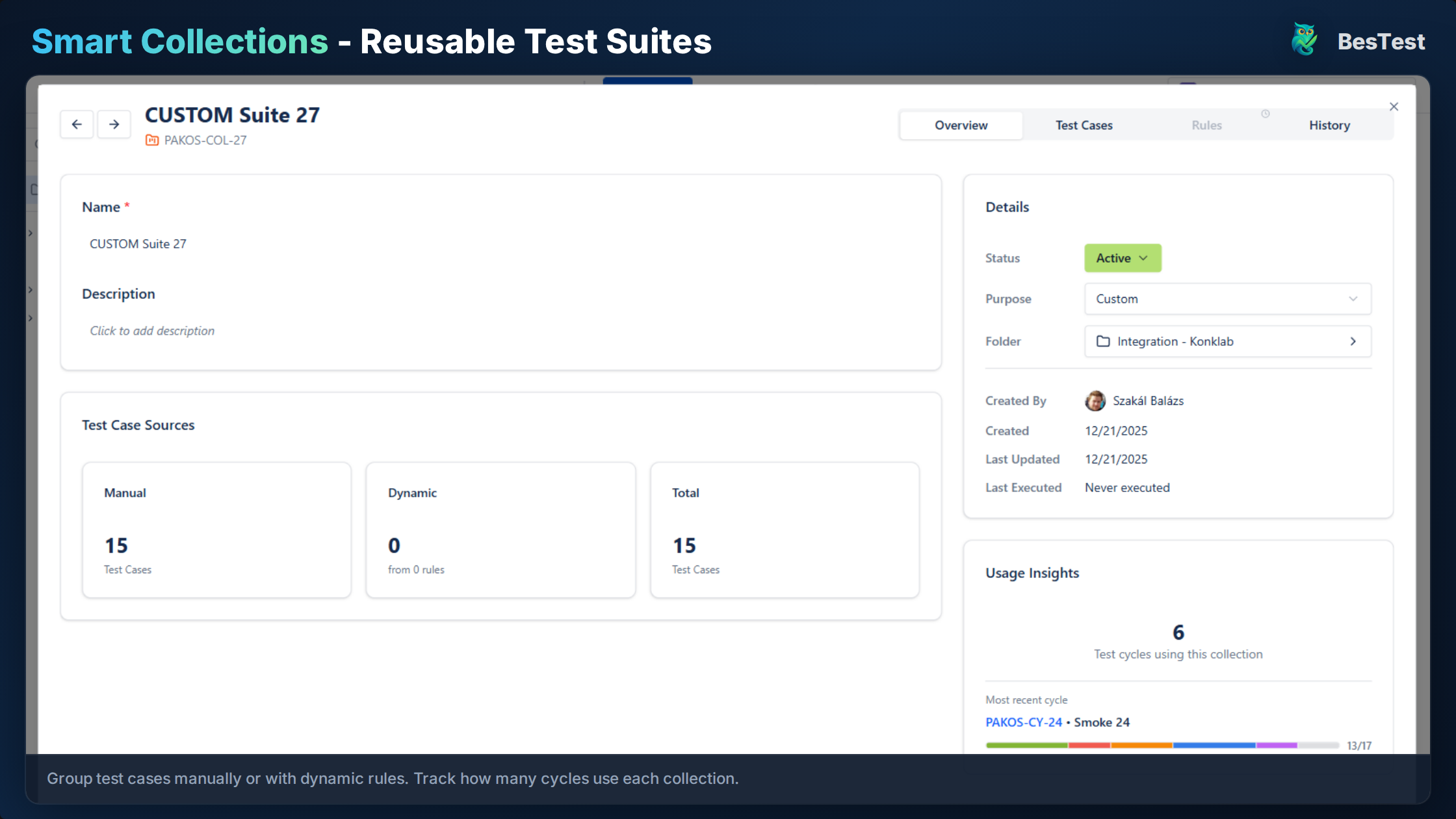
Smart Collections assemble your regression suite from rules, requirements and hand-picked test cases
Free for teams up to 10 users. Installs in under a minute.
Get StartedKey Benefits
How to Implement
Organize Test Cases
Create a folder structure in BesTest (e.g., /Regression/Core, /Regression/Extended). Set priority and type, and add a custom field such as "Component" if you need one more dimension.
Create Smart Collection
Define a Smart Collection with rules like "folder = Regression/Core AND Priority = High". The rules are evaluated again every time the collection is added to a cycle.
Link to Requirements
Link regression tests to requirements in BesTest. Coverage (Covered, Partly covered, Not covered) shows what is protected and highlights gaps.
Execute and Track
Run the regression cycle in BesTest's Test Player. Track progress live and log defects directly from failures.
Analyze and Improve
Review execution reports, identify flaky tests, and refine the suite. Use historical data to prune low-value tests and add missing coverage.
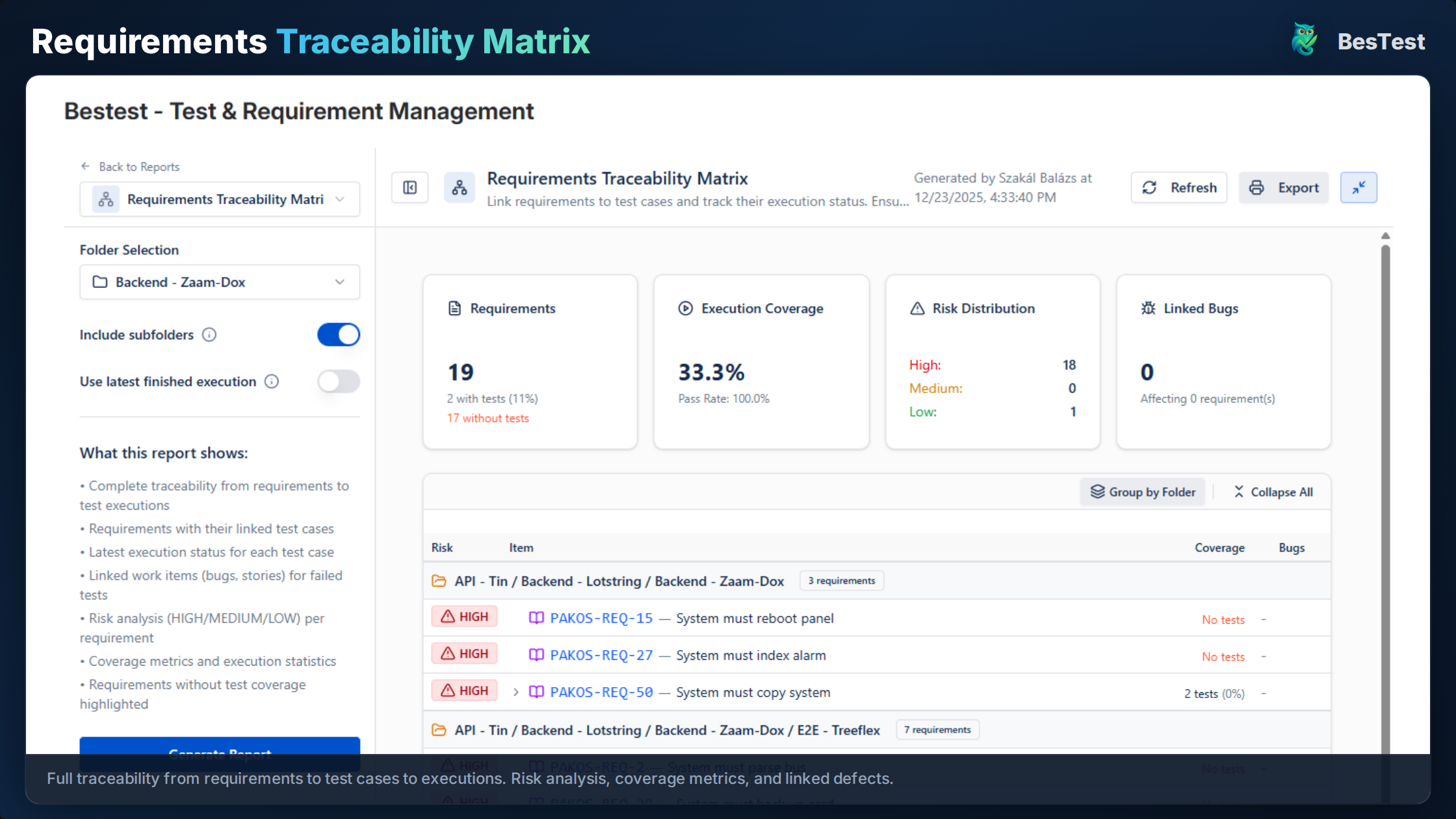
The traceability matrix shows which requirements lack regression coverage
Best Practices
- •Use risk-based Smart Collections to focus on areas affected by recent changes
- •Remove or fix flaky tests promptly - they train the team to ignore failures
- •Update the regression suite when requirements change to avoid stale coverage
- •Run critical regression on every build, full regression before releases
- •Give tests a component or module (folder or custom field) so targeted regression suites are one rule away
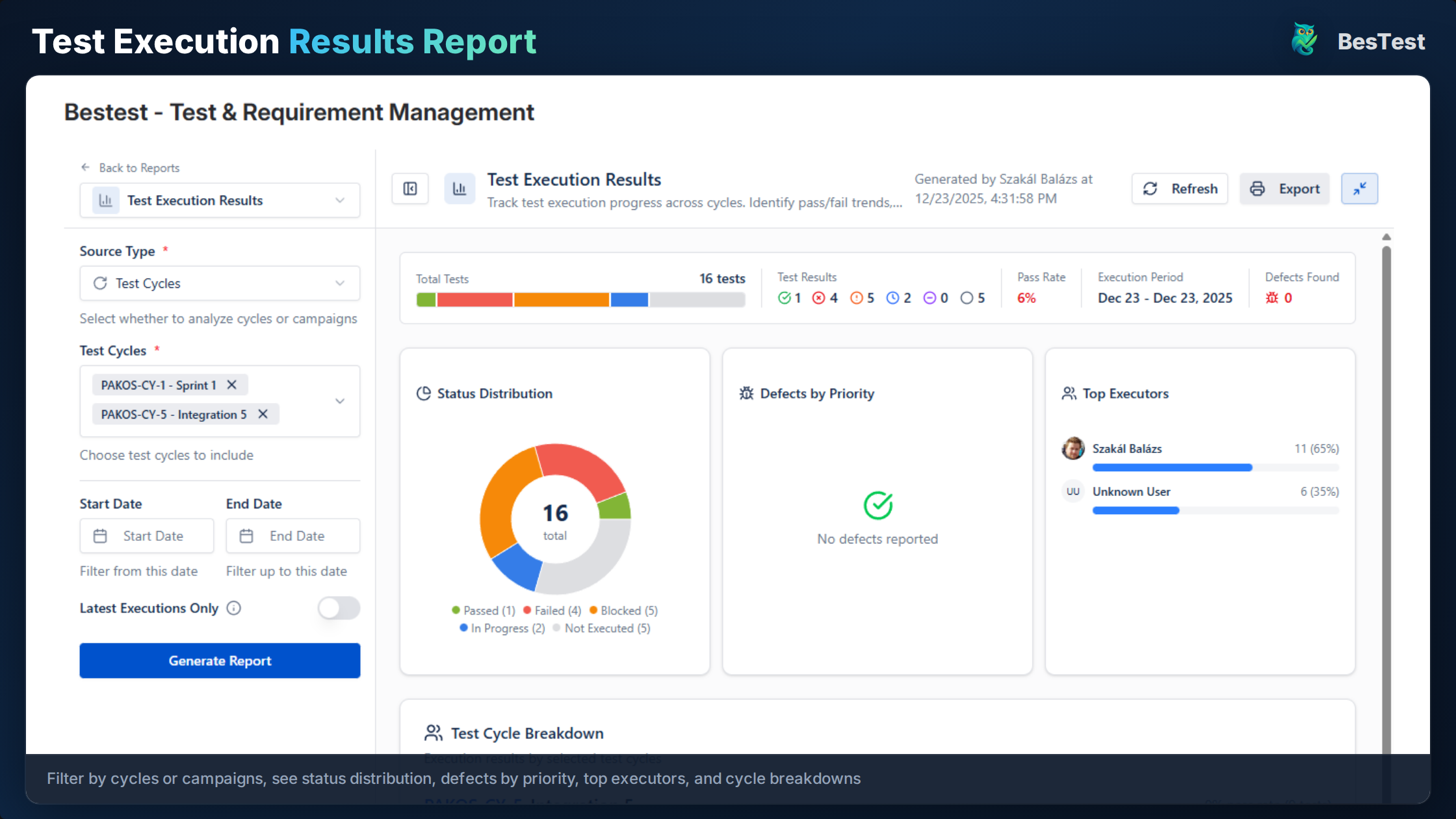
Execution reports show pass rates and historical trends across releases
Ready to Improve Your Regression Testing?
Start running Regression Testing cycles in Jira today. Free for up to 10 users.
Try BesTest FreeRelated Use Cases
Smoke Testing in Jira
Quick sanity checks to verify critical functionality after deployments
User Acceptance Testing (UAT) in Jira
Business stakeholders run UAT in the Jira they already use, and the UAT report lives on your Jira dashboard as live gadgets
Sprint Testing in Jira
Integrate testing into your agile sprints with test cycles tied to sprint stories
Related Guides & Definitions
Test Management in Jira: The Complete 2026 Guide
A comprehensive guide to test management in Jira - from native options to dedicated tools. Learn how to organize test cases, execute tests, track coverage, and report on quality within the Jira ecosystem.
Regression Testing
Testing that verifies existing functionality still works after code changes.
Test Coverage
A measure of how much of the software or requirements are tested by test cases.