
Smoke Testing in Jira
Quick sanity checks to verify critical functionality after deployments
Smoke testing validates that critical features work after a deployment. BesTest helps you create and maintain focused smoke suites in Jira - always ready to run so your team can verify stability within minutes.
Try BesTest FreeThe Challenge
Smoke tests must be fast, focused, and always ready to go:
- •Identifying the absolute critical path tests from hundreds of test cases
- •Keeping smoke suites small and fast - under one hour of execution time
- •Running smoke tests immediately after deployments without setup delays
- •Maintaining smoke tests as the product evolves and critical paths shift
How BesTest Helps
BesTest enables efficient smoke testing with speed-focused tools that integrate directly into your Jira deployment workflow.
Focused Collections
Keep smoke tests in a Smoke folder (or mark them with a custom field) and a Smart Collection rule pulls them in. Move a test in or out of the folder and the next cycle follows.
Quick Execution
The Test Player keeps testers moving: one click per step result, and Next to do (or the N key) jumps to the next open test.
Instant Reporting
The cycle stats bar and dashboard gadgets show progress and pass rate live. See at a glance whether all critical paths are green or need attention.
Traceability
Link smoke tests to critical requirements. Maintain a documented record of which business-critical functionality was verified per deployment.
A Cycle per Deployment
Name each smoke cycle after the build or version and link it to the Jira release work item. The history of post-deployment checks builds up by itself.
Ready-to-Run Setup
Set default assignees on the smoke collection once. Every new smoke cycle is filled and assigned in a few clicks, and testers are notified when it is Ready to Execute.
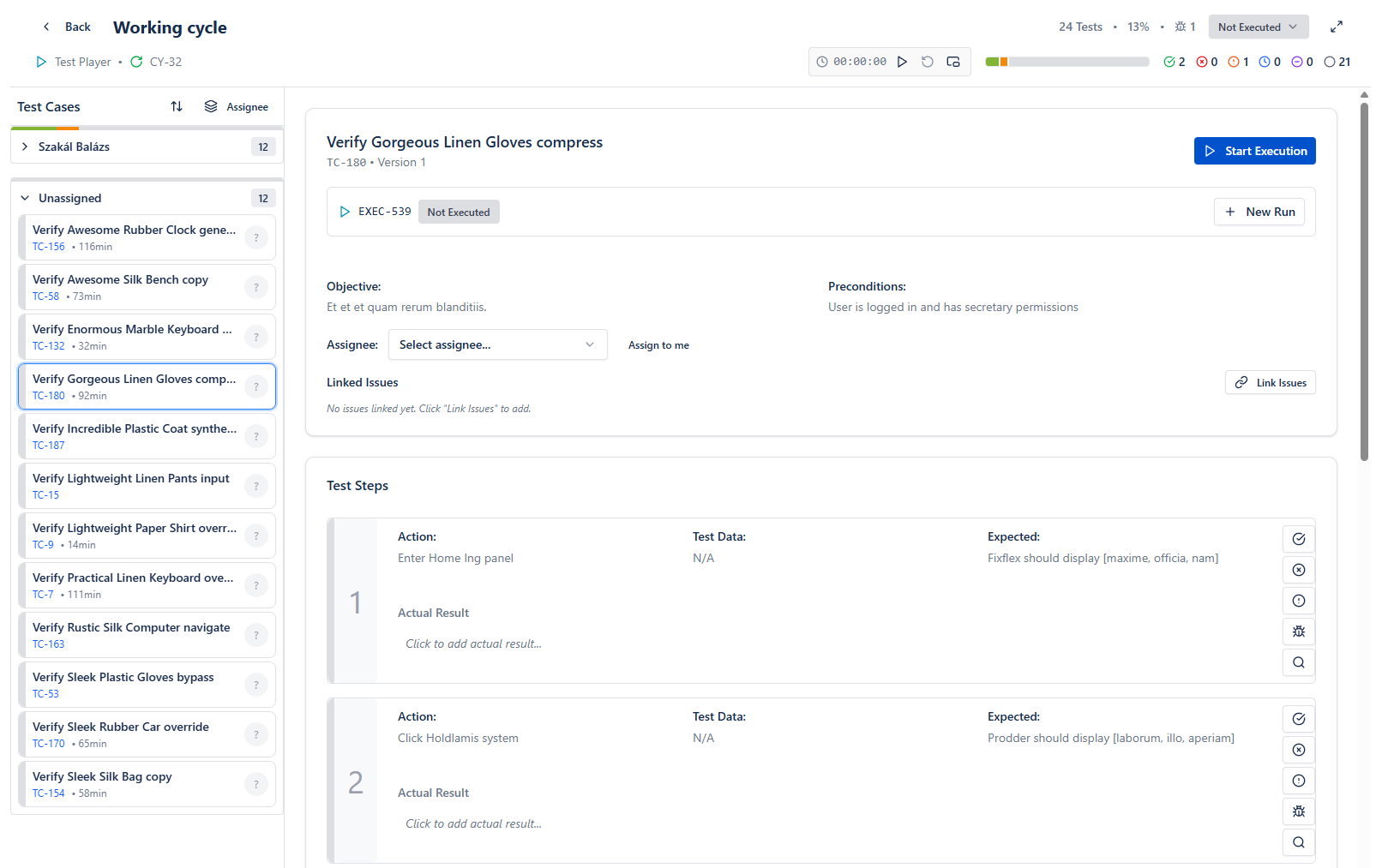
Execute smoke tests quickly: step results, search, My work and Next to do
Live preview - this is the real BesTest UI
Free for teams up to 10 users. Installs in under a minute.
Get StartedKey Benefits
How to Implement
Identify Critical Path
Select the 10-20 most critical user journeys in BesTest. Involve product managers to ensure the list reflects business priorities.
Mark Smoke Tests
Move these tests into a Smoke folder (or set a custom field) and give them high priority. Keep steps concise - each smoke test should complete in under five minutes.
Create Smoke Collection
Create a Smart Collection with a folder rule on Smoke and set default assignees. Aim for 15-25 tests total.
Run Post-Deployment
Add the collection to a new cycle right after each deployment and set it to Ready to Execute. Stakeholders can watch progress live on the dashboard.
Act on Results
If smoke fails, halt further testing and escalate. If smoke passes, communicate the green light and proceed with scheduled testing.
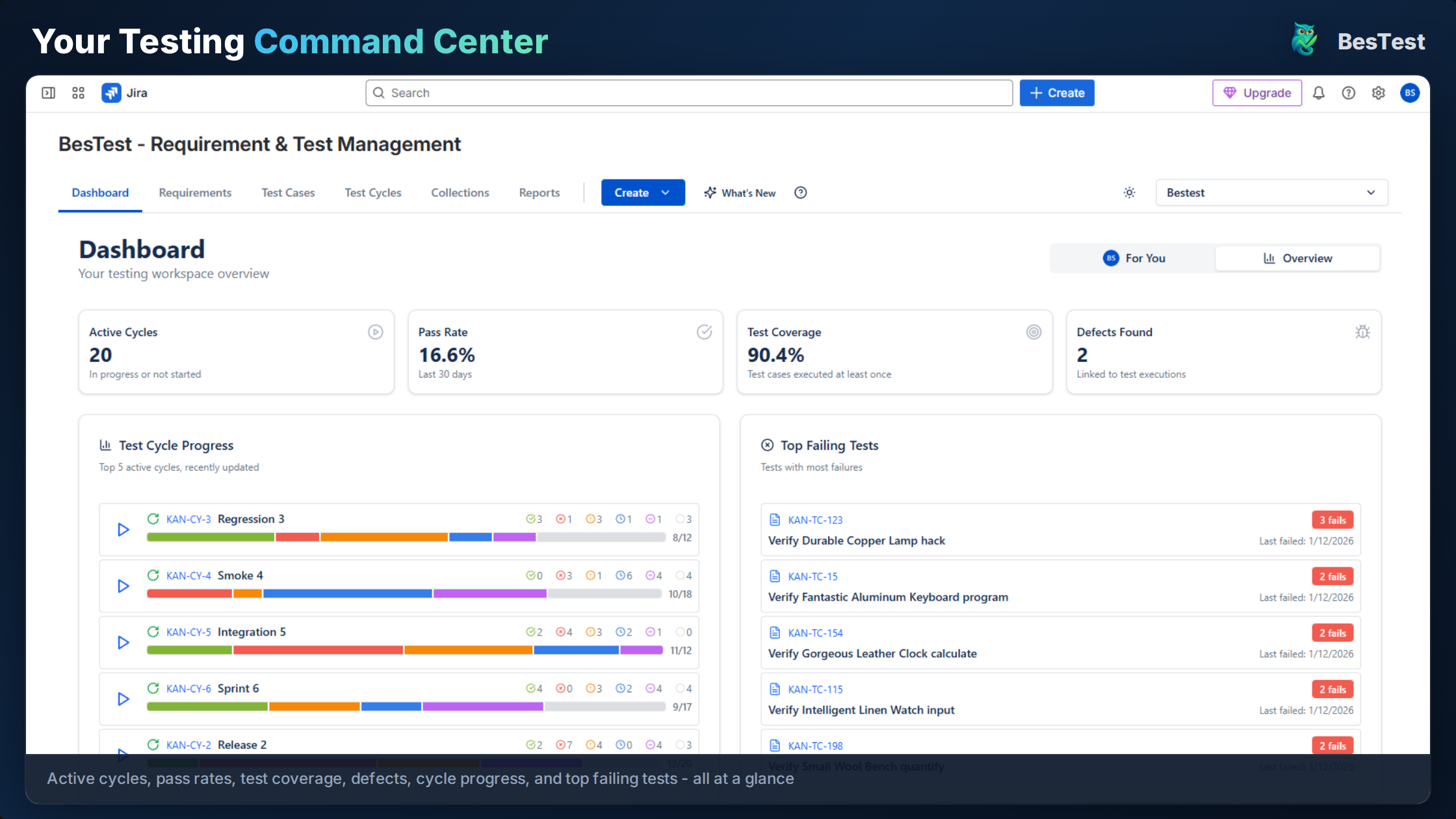
The dashboard shows smoke test pass/fail status at a glance
Best Practices
- •Keep smoke suites at 15-25 tests max to preserve the "quick feedback" purpose
- •Target under one hour of total execution time for the full suite
- •Run smoke tests on every deployment, not just major releases
- •Review and prune the suite quarterly with product management input
- •Maintain a backup tester for smoke runs to avoid single-person bottlenecks
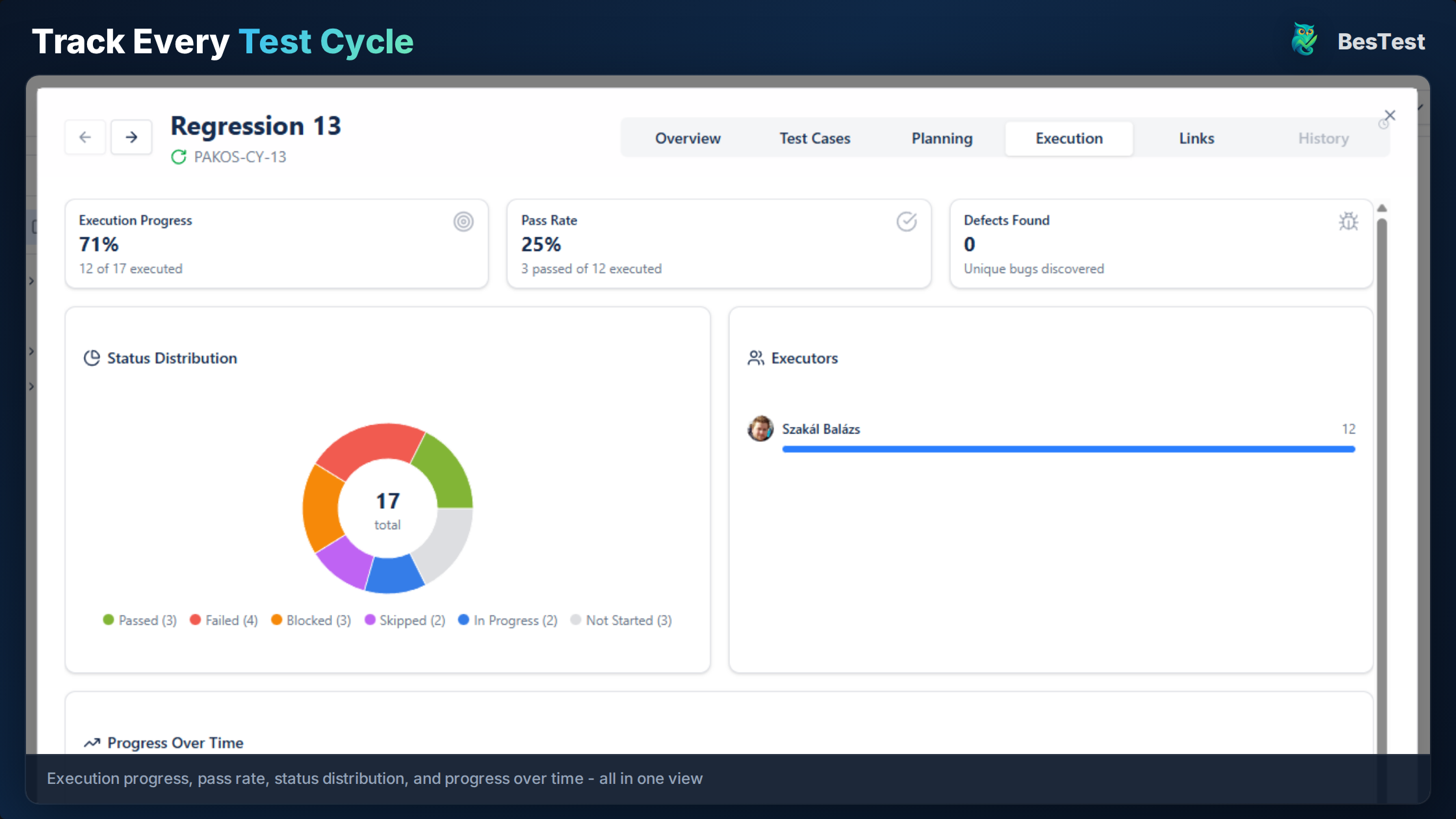
Each smoke cycle shows its progress and pass rate for consistent post-deployment verification
Ready to Improve Your Smoke Testing?
Start running Smoke Testing cycles in Jira today. Free for up to 10 users.
Try BesTest FreeRelated Use Cases
Regression Testing in Jira
Automate your regression test cycles with smart collections and traceability
Security Testing Management in Jira
Organize and track security test cases and vulnerability verification
Sprint Testing in Jira
Integrate testing into your agile sprints with test cycles tied to sprint stories