
Agile Testing in Jira
Sprint-based testing with Smart Collections, test cycles tied to sprints, and real-time dashboards - all inside Jira.
BesTest turns agile testing from a buzzword into a workflow: Smart Collections auto-build sprint regression suites, test cycles track execution against sprint goals, and dashboards give standup-ready visibility without leaving Jira.
Implement Agile Testing with BesTest
Create test cases from the story
When grooming stories, open the BesTest panel on each Jira work item and create its test cases there, one by one or several at once (one name per line), already linked to the story. File them in the right folder and set type and priority, so collection rules can pick them up later. No spreadsheets, no manual lists - every test case is linked to the story it validates.
Create a Smart Collection for sprint regression
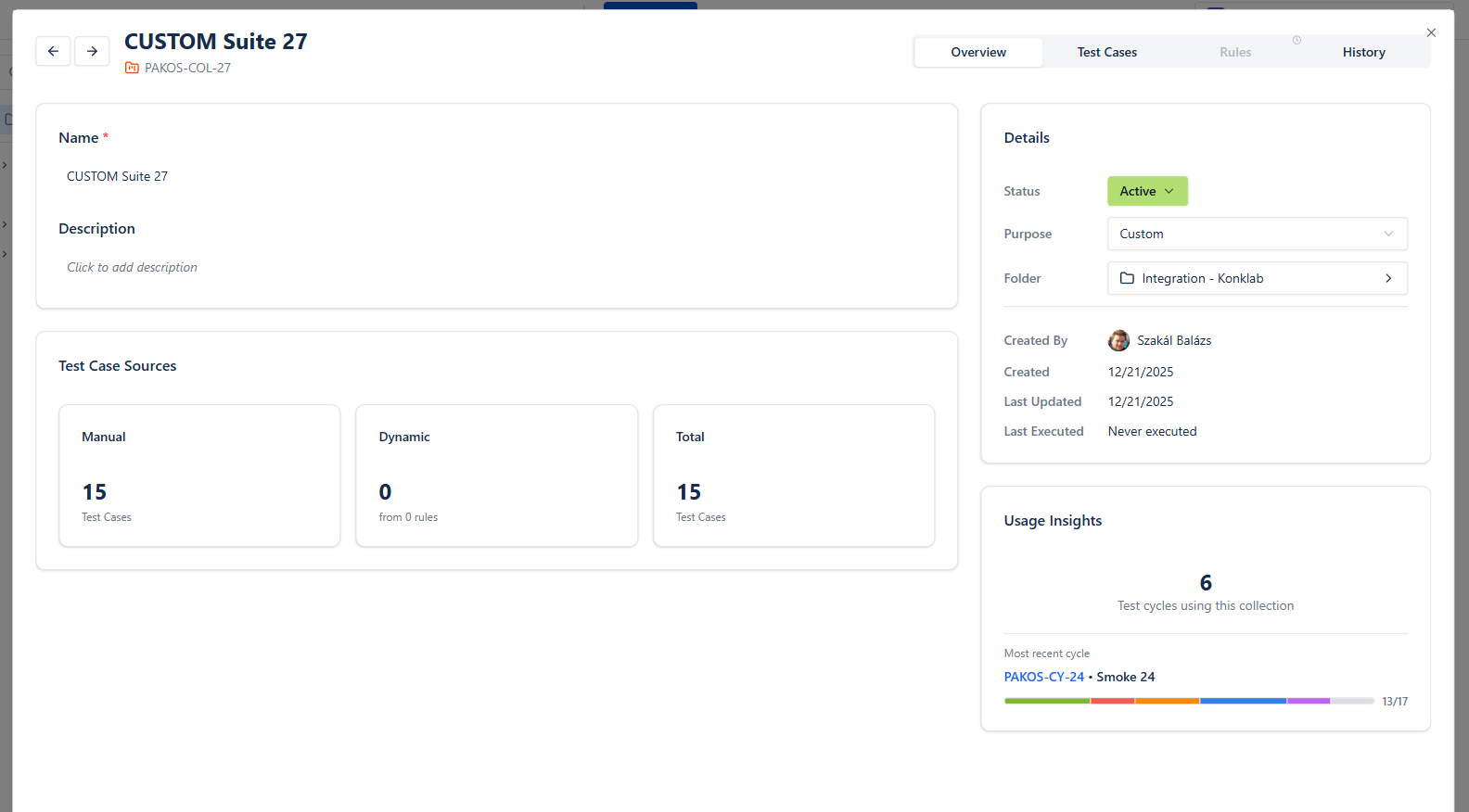
Set up a Smart Collection with a folder rule (Checkout, with subfolders) and a field condition such as type = "REGRESSION" AND priority IN ("CRITICAL", "HIGH"). Add the sprint's requirements in the Requirements tab to pull in every test case linked to them. When you write a new high-priority Checkout regression test next sprint, it shows up the next time the collection is added to a cycle, without anyone remembering to add it.
Run a test cycle during the sprint
Create a test cycle and add your Smart Collection (or pick test cases by folder, filter or requirement). Assign testers, then execute in the built-in Test Player: mark each step pass/fail and log defects as linked Jira issues without switching tabs. Testers use My work and Next to do to see only their open tests, and the cycle tracks progress and pass rate in real time.
Review dashboards in standup
Add BesTest dashboard gadgets to your Jira dashboard. They show pass rates, execution progress, and open failures for the current cycle. In standup, the team sees what passed, what failed, and what is blocked - no separate tool, no status meetings about status meetings.
Carry over failures to the next sprint
At sprint close, review failed and unexecuted test cases. Create a new cycle for the next sprint that includes carryovers plus new tests, or rerun the failures in the same cycle once the fixes land. Because collection rules are evaluated every time you use them, your regression baseline stays current even as stories are added or removed.
Built for Agile Testing
Smart Collections rebuild test suites from filter rules and linked requirements every time you use them, so your sprint regression suite never drifts out of date - no manual curation every two weeks.
Test cases are stored as BesTest's own records - not as Jira issues - keeping sprint boards clean and avoiding issue count bloat.
The review workflow (submit, request changes, approve) lets developers and POs review test cases before execution. Each round is kept in the review audit trail.
One-click project enablement means a new team can start testing in about a minute. No admin overhead, no configuration wizard.
Related Resources
- How to Write Test Cases: The Complete 2026 GuideGuide
- Test Case Review: Best Practices for Quality AssuranceGuide
- Test Management in Jira: The Complete 2026 GuideGuide
- Sprint Testing in JiraUse case
- Regression Testing in JiraUse case
- Test Case Review WorkflowUse case
- Test CaseDefinition
- Test CycleDefinition
- Test ExecutionDefinition
- Test CoverageDefinition
- Regression TestingDefinition
- Acceptance CriteriaDefinition
- Test PlanDefinition
Ready to try BesTest?
Apply agile testing with a tool that supports your methodology natively inside Jira. Free for up to 10 users.
Get BesTest Free