
Why Review Test Cases?
Test case review is a quality gate that ensures test cases are effective before execution. Without review, teams risk:
- •Incomplete tests that miss important scenarios
- •Ambiguous steps that different testers interpret differently
- •Incorrect expected results based on misunderstood requirements
- •Duplicate coverage wasting execution time
- •Outdated tests that no longer match the application
The result? Bugs slip into production, customers file tickets, and your team spends weekends firefighting issues that a 10-minute review would have caught.
Research from NIST and the IBM Systems Sciences Institute demonstrates that defects in test cases are 10x cheaper to fix during review than during execution, and 100x cheaper than finding them in production when the flawed test missed a real bug (see References).
Fixing a test case issue during review takes 10 minutes. Finding it during execution wastes the whole test cycle. Missing it entirely? That's an escaped defect and a customer incident.
Review catches issues like:
- •Missing preconditions
- •Unclear step descriptions
- •Unverifiable expected results
- •Missing negative scenarios
- •Broken traceability links
Implementing a Review Workflow
A structured review workflow has clear states and transitions:
States:
- 1Draft: Author writing the test case
- 2Ready for Review: Submitted for peer review
- 3In Review: Reviewer is evaluating
- 4Changes Requested: Feedback provided, author must revise
- 5Approved: Ready for execution
- 6Rejected: Not suitable (rare, with explanation)
Workflow:
Draft → Ready for Review → In Review → Approved
                              ↓
                    Changes Requested → Draft (revise)
Roles:
- •Author: Creates and revises test cases
- •Reviewer: Evaluates and provides feedback
- •Lead: May override or approve exceptions
BesTest Implementation:
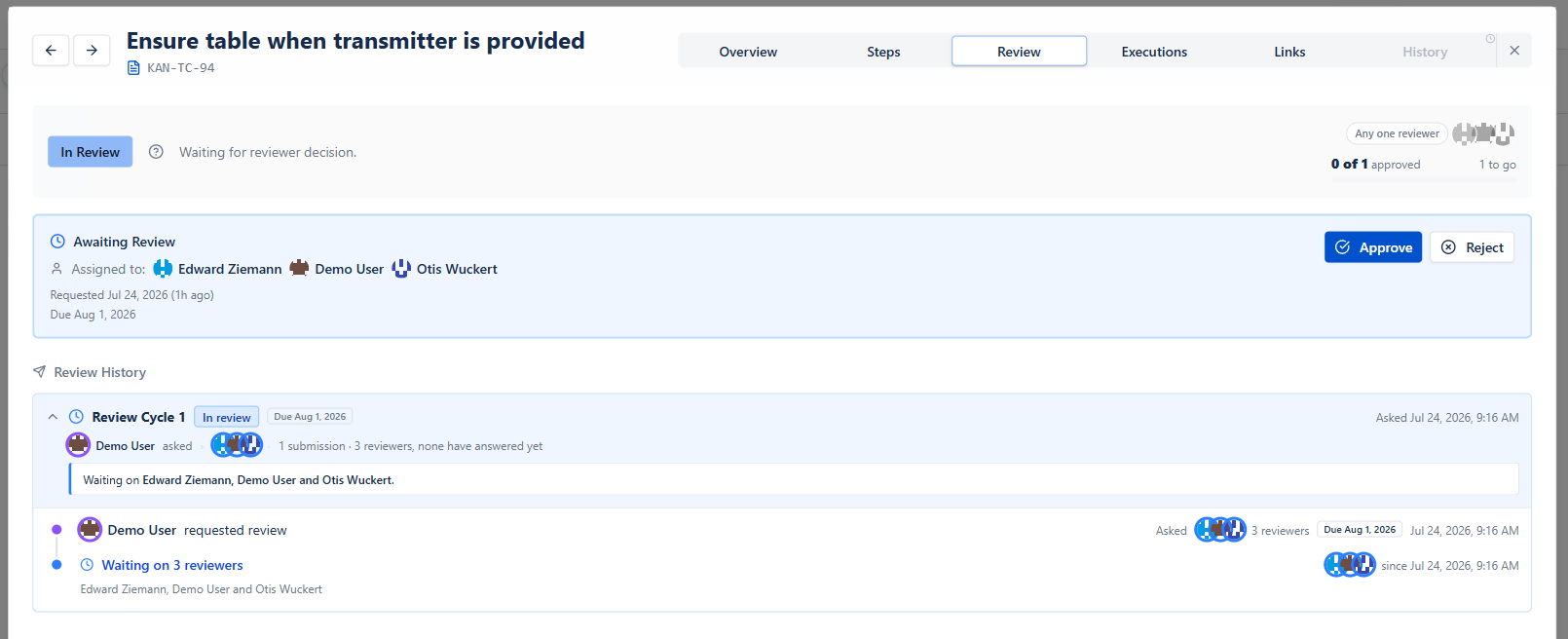
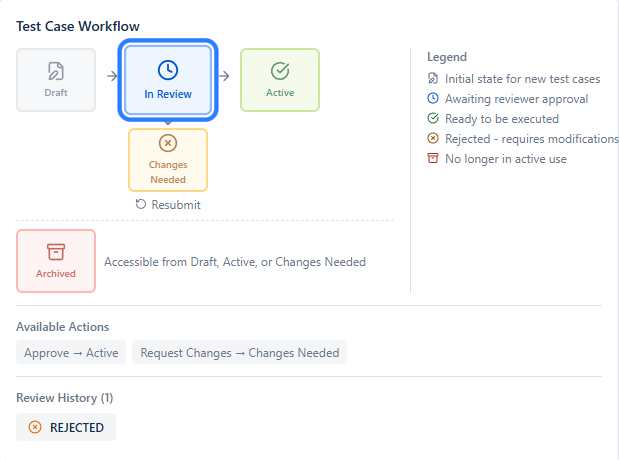
BesTest has this workflow built in, for test cases and for requirements. A test case goes from Draft to In Review to Active; a rejected one goes to Changes Needed until the author resubmits. When you submit, you pick one or more reviewers, add a note on what to check and set a due date. Only assigned reviewers can approve or reject (a rejection needs a comment), and every round is kept in the review audit trail.
Project admins set the review mode per project: Off, Optional or Required. With Required, a test case only becomes Active through approval. Many teams add one simple internal rule on top: only approved (Active) test cases go into a cycle. BesTest does not force it, because plenty of teams prefer flexibility, but the review status, catalog filters and a smart collection rule like status = "ACTIVE" make the rule easy to follow. The approval rule can be any one reviewer, all assigned reviewers, or at least a set number - so you can require two sign-offs on regulated work. Reviewers find their queue in notifications and the Pending Reviews dashboard gadget. The test case review tutorial shows the setup step by step.
Test Case Review Checklist
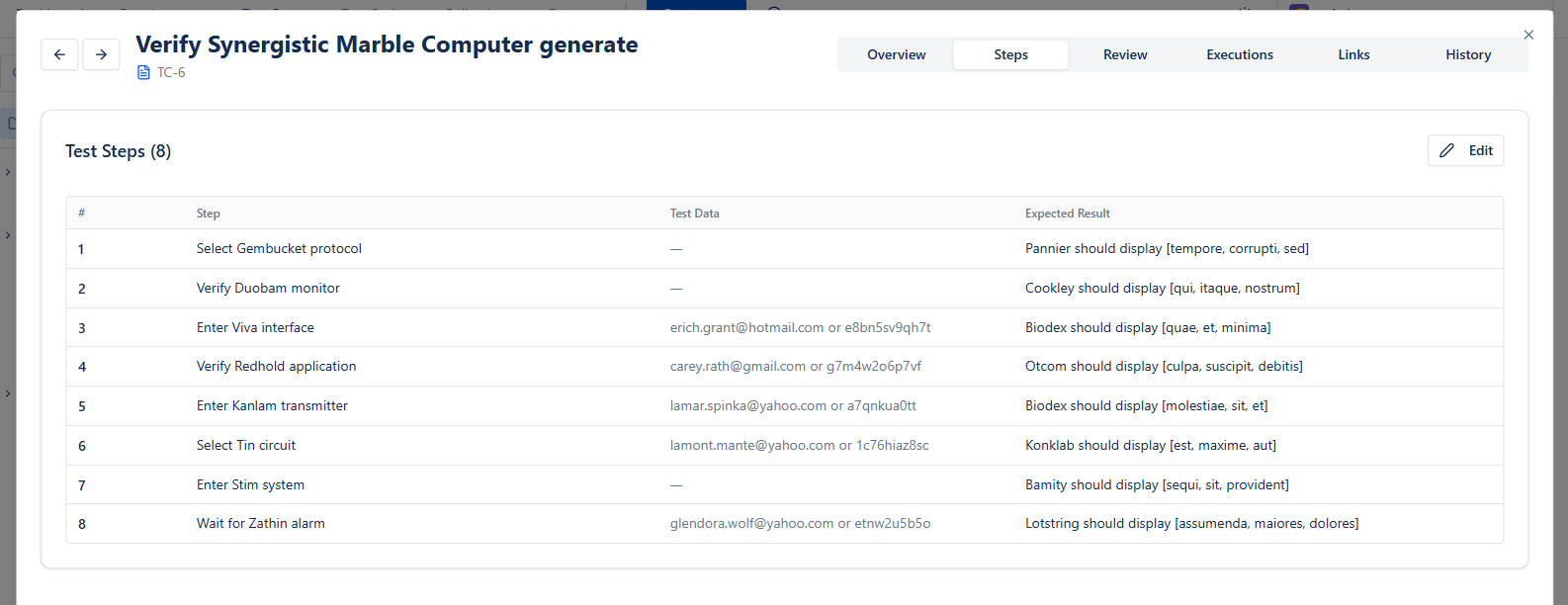
Use this checklist when reviewing test cases. Authors get fewer rejections when they start from a consistent structure - the free test case template generator gives everyone the same fields to fill in.
Structure
- •[ ] Title clearly describes what's being tested
- •[ ] Unique, meaningful test case ID
- •[ ] Appropriate priority assigned
- •[ ] Correct category/module assignment
Preconditions
- •[ ] All preconditions listed
- •[ ] Preconditions are achievable
- •[ ] No assumptions left unstated
Steps
- •[ ] Steps are numbered sequentially
- •[ ] Each step has a single action
- •[ ] Steps are unambiguous (one interpretation)
- •[ ] Technical terms are accurate
- •[ ] Data values are specific
Expected Results
- •[ ] Expected result for each step or group
- •[ ] Results are objectively verifiable
- •[ ] Results are specific (not "works correctly")
Coverage
- •[ ] Traces to at least one requirement
- •[ ] Covers the intended scenario
- •[ ] Doesn't duplicate existing test cases
- •[ ] Includes verification of key outcomes
Independence
- •[ ] Can be executed standalone
- •[ ] Doesn't depend on another test's execution
- •[ ] Cleans up after itself (if needed)
Instead of: "Steps are unclear"
Write: "Step 3 says 'enter valid data' - please specify the exact values to enter (e.g., email: test@example.com, password: Test123!)"
Review Best Practices
For Authors:
- •Self-review before submitting
- •Include context in review request
- •Respond to feedback constructively
- •Update promptly, don't let reviews go stale
For Reviewers:
- •Review within agreed SLA (e.g., 24-48 hours)
- •Be specific in feedback
- •Explain the "why" behind suggestions
- •Approve when ready, don't block on minor issues
- •Use a checklist for consistency
For Teams:
- •Define review criteria and share checklist
- •Rotate reviewers to share knowledge
- •Track review metrics (time, revision rate)
- •Retrospect on review process
- •Celebrate quality improvements
- Rubber stamping: Approving without real review
- Gatekeeping: Excessive scrutiny blocking progress
- Staleness: Reviews sitting in queue for days
- Inconsistency: Different reviewers, different standards
Review only works when it is a gate, not a good habit.
Every failure mode above - rubber stamping, staleness, the review that slips a week - comes from the same place: review competing with a deadline and losing. Making it structural is what fixes it. In BesTest, test cases move through Draft, In Review and Active, a Required review mode means nothing becomes Active without an approval, and the review audit trail records who approved what and when. A Jira app, not a separate tool, free for up to 10 users.
View on the Atlassian MarketplaceMeasuring Review Effectiveness
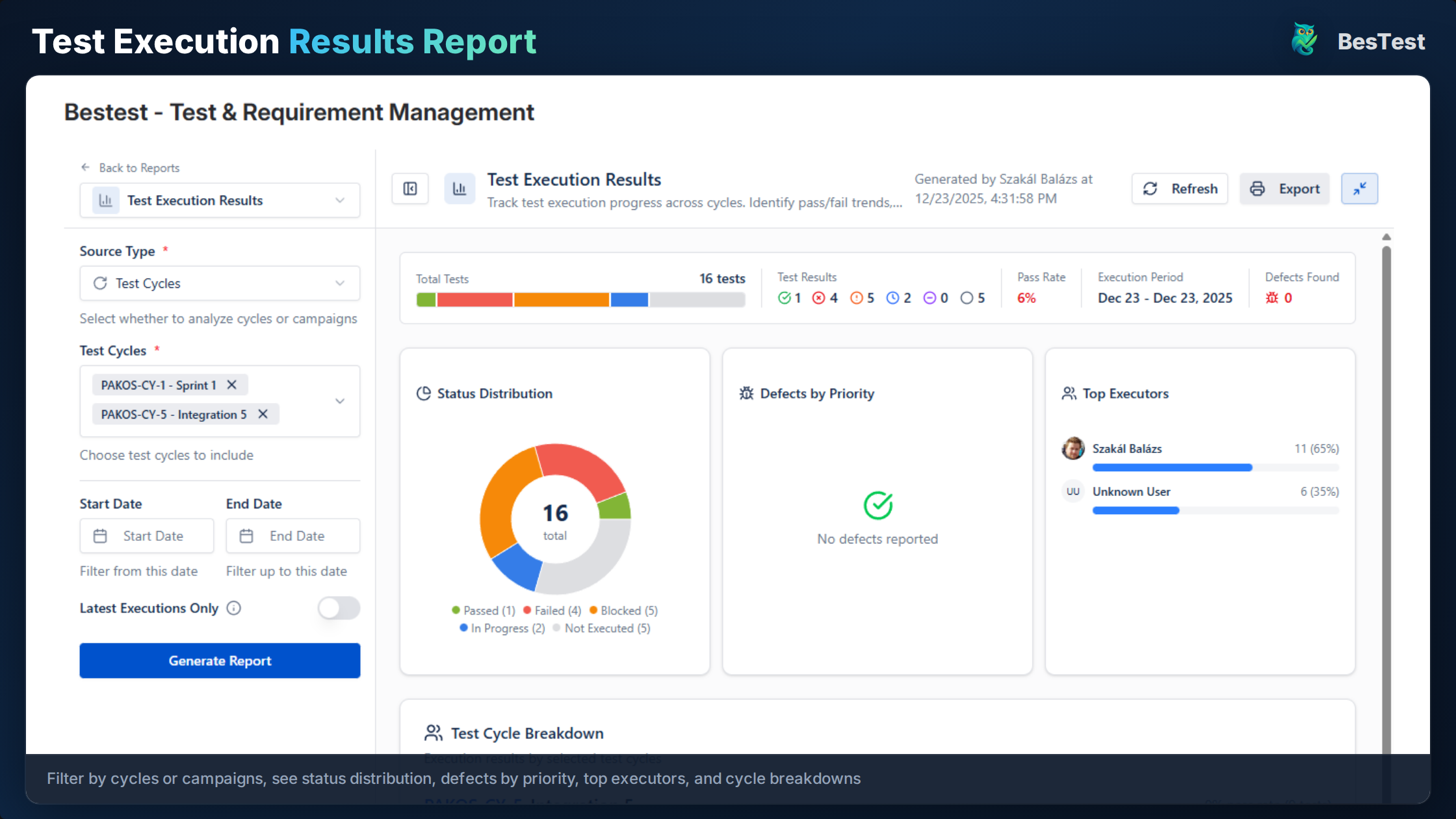
Track these metrics to improve your review process:
Process Metrics:
- •Review cycle time: Time from submission to approval
- •First-pass approval rate: % approved without changes
- •Revision rate: Average revisions per test case
- •Review queue size: Pending reviews at any time
Quality Metrics:
- •Defects found in execution: Issues in approved test cases
- •Test case clarity issues: Misinterpretations during execution
- •Coverage gap discoveries: Missing scenarios found later
Targets:
- •Review cycle time: < 48 hours
- •First-pass approval rate: > 70%
- •Post-approval defect rate: < 5%
Improvement Actions:
- •High revision rate → Better author training, clearer guidelines
- •Long cycle time → More reviewers, priority rules
- •Post-approval defects → Stricter checklist, reviewer training
References
- •NIST, "The Economic Impacts of Inadequate Infrastructure for Software Testing," Planning Report 02-3, May 2002 - foundational research on the cost multiplier of defects across development stages.
- •IBM Systems Sciences Institute, "Relative Cost of Fixing Defects" - empirical data showing exponential cost growth for defects found later in the lifecycle.
- •ISTQB Foundation Level Syllabus v4.0, 2023 - Section 3.2 on test case review as part of static testing techniques.
- •IEEE 1028-2008, "Standard for Software Reviews and Audits" - formal framework for peer review processes in software engineering.
Frequently Asked Questions
Should every test case be reviewed?
Ideally yes, but prioritize based on risk. Critical test cases must be reviewed. For lower-priority tests, consider lighter review or spot checks. The goal is quality assurance without creating bottlenecks.
Who should review test cases?
Peer testers are ideal reviewers - they understand testing and can execute the test cases. Developers can review for technical accuracy. Product owners can review for requirement coverage. Rotate reviewers to spread knowledge.
How long should a review take?
A thorough review of one test case typically takes 5-15 minutes depending on complexity. Batch reviews (5-10 test cases) are more efficient than reviewing one at a time. Set expectations with your team based on your cadence.
What tools support test case review workflows?
BesTest has a built-in review and approval workflow for test cases and requirements: multiple reviewers, notes and due dates, approval rules (any one, all, or at least N reviewers) and a review audit trail. Other tools may require custom Jira workflows or manual processes. The key is having a defined process regardless of tooling.
Review only works when it is a gate, not a good habit.
Every failure mode above - rubber stamping, staleness, the review that slips a week - comes from the same place: review competing with a deadline and losing. Making it structural is what fixes it. In BesTest, test cases move through Draft, In Review and Active, a Required review mode means nothing becomes Active without an approval, and the review audit trail records who approved what and when. A Jira app, not a separate tool, free for up to 10 users.
View on the Atlassian Marketplace
Balázs Szakál
Founder & QA Lead at BesTest
Founder of BesTest and QA professional with extensive experience in software testing, test management, and Jira administration. Built BesTest to give testing teams complete visibility from requirements to release.
More about the team →