
Mobile App Testing in Jira
Manage test cases for iOS, Android, and cross-platform mobile applications
Mobile app testing requires verification across devices, OS versions, and screen sizes. BesTest helps you organize and track mobile testing in Jira - so every device-platform combination is accounted for and nothing falls through the cracks.
Try BesTest FreeThe Challenge
Mobile testing has unique complexity from ecosystem fragmentation:
- •Supporting iOS and Android with different behaviors, guidelines, and user expectations
- •Managing a device and OS version matrix that grows with every release
- •Handling different screen sizes that break layouts and hide UI elements
- •Meeting both Apple App Store and Google Play compliance requirements
How BesTest Helps
BesTest supports mobile testing workflows in Jira with custom fields for platform and device, one cycle per configuration, and cross-platform coverage visibility.
Platform Field
Add a Platform custom field (iOS, Android, Both) to test cases and use it in filters and Smart Collection rules. Switch between platform-specific and cross-platform suites instantly.
Device Matrix
Run one cycle per device and OS combination, or add Device and OS fields to cycles. Results per combination stay separate, so you can see which ones were tested.
Cross-Platform Traceability
Link each requirement to its iOS and Android test cases. A requirement only counts as Covered when it has enough test cases for its significance, and the Platform filter shows where one side is missing.
Screenshot Documentation
Create or link a Jira issue from a test result and attach device screenshots there - BesTest keeps the execution linked to it.
Organized by Feature
Structure tests by feature across platforms or by platform with feature subfolders. Choose the hierarchy that matches your team's workflow.
Gesture and Interaction Documentation
Document platform-specific gestures and touch interactions within test steps - swipe directions, long-press behaviors, and multi-touch actions.
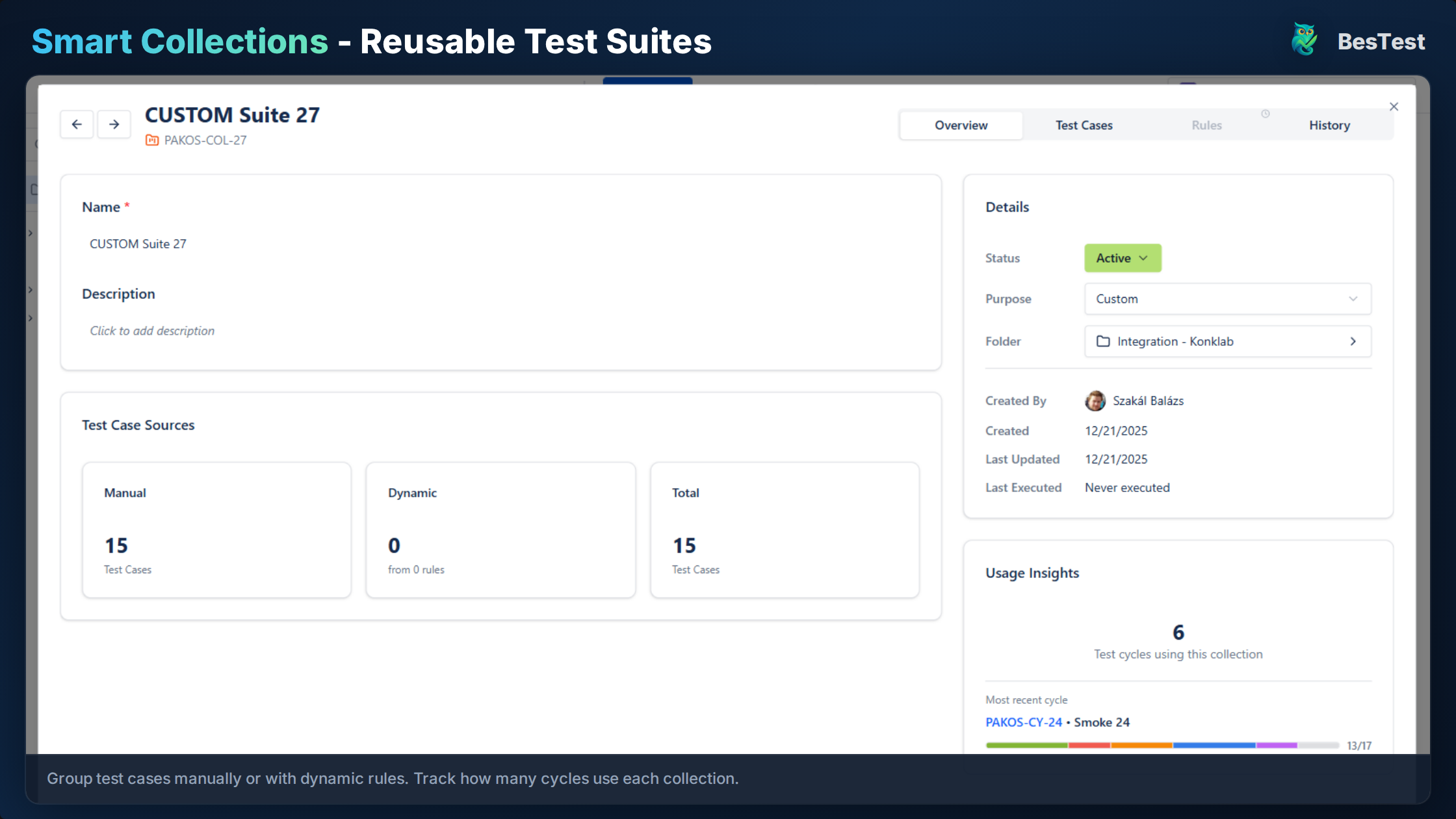
Build iOS or Android test suites from collection rules on a Platform field
Free for teams up to 10 users. Installs in under a minute.
Get StartedKey Benefits
How to Implement
Define Device Matrix
List the supported devices and OS versions and add them as custom field options. Use production analytics to prioritize the most popular device-OS combinations among your users.
Create Platform-Specific Tests
Write test cases and set the Platform field to iOS, Android, or Both. Document device-specific preconditions like "requires Face ID enabled" or "requires Android 12+".
Organize Test Structure
Create folders in BesTest reflecting your workflow - /Mobile/iOS, /Mobile/Android, or feature-first with platform subfolders. Be consistent across the repository.
Execute Across Devices
Run a cycle on each device-OS combination and note the exact device in the execution. Link Jira issues with screenshots for visual verifications.
Track Platform Coverage
Filter test cases and requirements by platform. After each cycle, review coverage and results to identify platform-specific gaps.
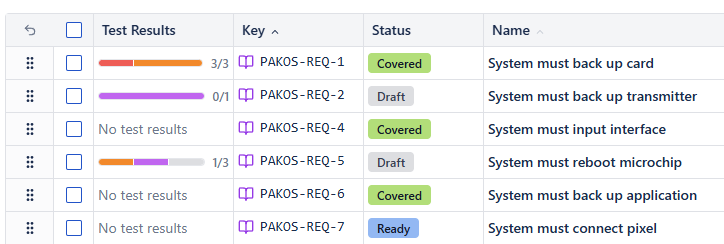
Track which requirements are Covered, Partly covered or Not covered across platforms
Best Practices
- •Test on real devices for final verification - emulators miss hardware-specific issues
- •Record OS version and device model for every run, in the cycle fields or the execution note
- •Create separate tests for platform-specific features like widgets and navigation
- •Include installation and upgrade path testing in scope for every release
- •Test on both the oldest and newest supported OS versions as a minimum
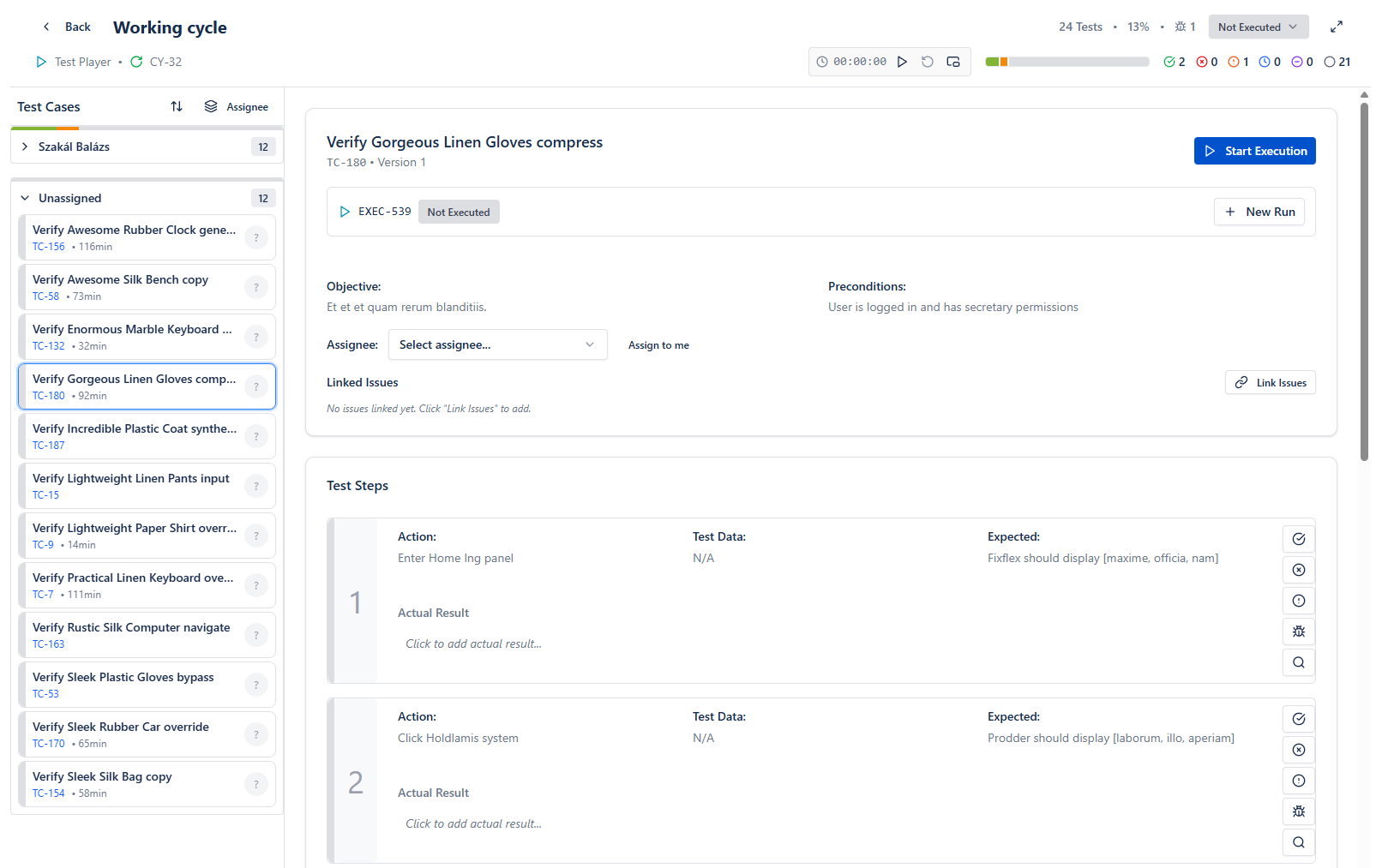
Execute mobile tests step by step and note the device details as you go
Ready to Improve Your Mobile App Testing?
Start running Mobile App Testing cycles in Jira today. Free for up to 10 users.
Try BesTest FreeRelated Use Cases
User Acceptance Testing (UAT) in Jira
Business stakeholders run UAT in the Jira they already use, and the UAT report lives on your Jira dashboard as live gadgets
API Testing Management in Jira
Organize, execute, and track API test cases alongside your functional tests
Smoke Testing in Jira
Quick sanity checks to verify critical functionality after deployments