
In-App Notifications
Stay on top of reviews, assignments, and changes across your projects
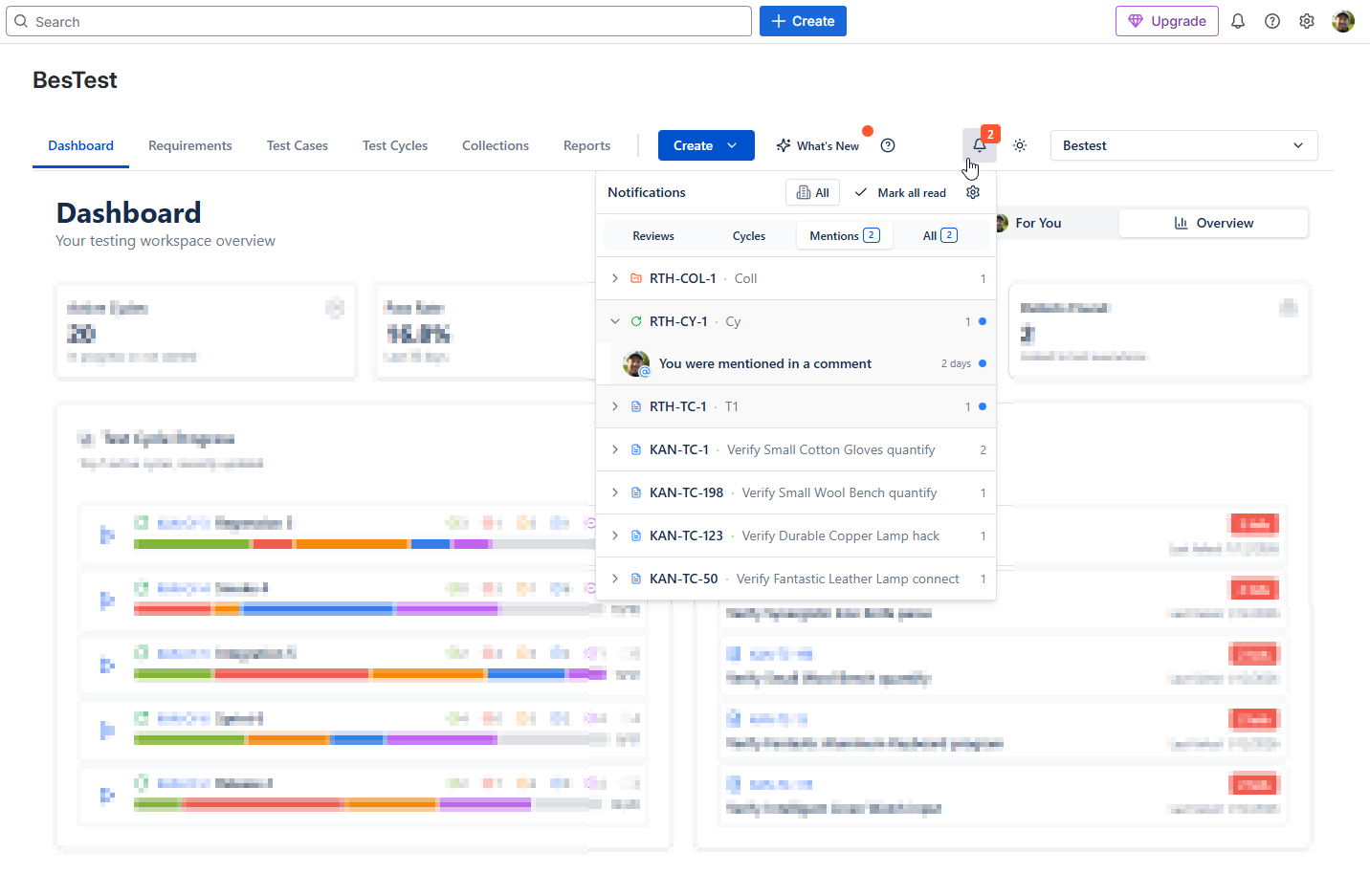
Get notified about what needs you - review requests for test cases and requirements, review decisions, cycle and execution assignments, finished cycles and @mentions. BesTest notifications live inside Jira, under the bell next to the project picker, so nothing important slips through the cracks.
The real BesTest UI
How It Works
In-app notifications in BesTest keep everyone aligned without adding noise. Instead of relying on side conversations or manual status checks, the people involved in a piece of work are told when something needs their attention. When a test case or requirement is sent for review, each reviewer is notified. When the review is finished, the requester is notified. When a cycle is set to Ready to Execute, every tester with executions in it sees their new assignments, and the cycle assignee hears when the cycle is finished.
Comments are available on every testing asset - requirements, test cases, cycles, collections and campaigns - and typing @ mentions a colleague, who gets a notification. The last 14 days of notifications sit under the bell icon next to the project picker, one place to catch up instead of hunting through cycles and requirements.
Project admins decide which notifications are on by default, and each person can override them from the bell. Every alert links straight to the item it refers to, and the Test Player opens from a notification about a cycle or an execution - Back takes you to where you were.
Key Benefits
Try In-App Notifications in BesTest
Install BesTest from the Atlassian Marketplace and start using in-app notifications inside Jira in minutes. Free for teams up to 10 users.
Try BesTest Free